> ## Documentation Index
> Fetch the complete documentation index at: https://docs.rulebase.co/llms.txt
> Use this file to discover all available pages before exploring further.
# Coaching overview
> Turn QA results into two kinds of coaching: logged 1:1 sessions and AI role-play simulations.
Coaching connects your QA program to agent development. Rulebase gives you two
tools:
* **Coaching sessions** — a logged 1:1 record you keep for one agent, built from
real tickets and their QA scores. Use it to document a coaching conversation
and give the agent something to refer back to.
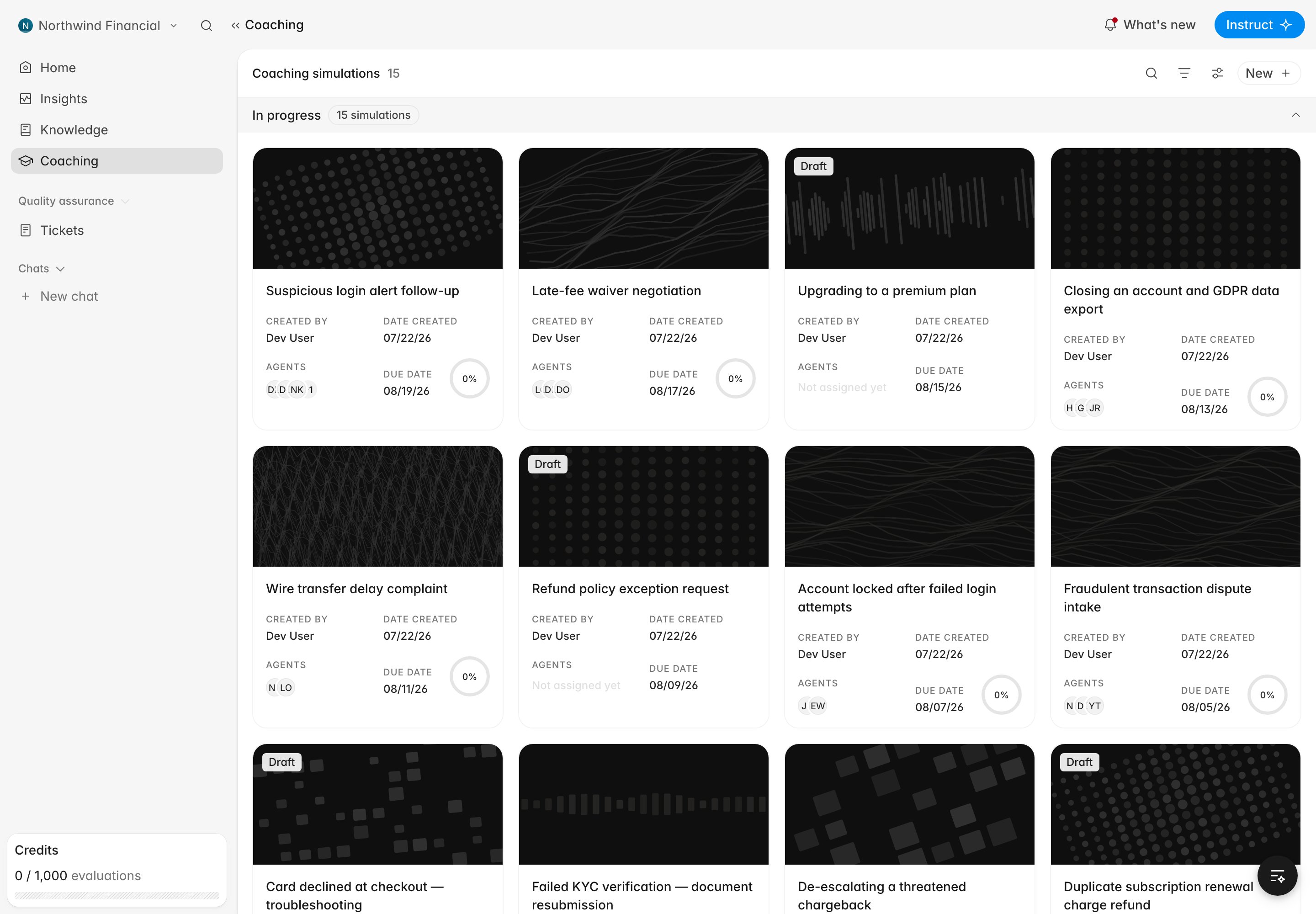
* **Coaching simulations** — an AI role-play exercise you assign to agents. The
AI plays a customer through a scenario, the agent handles it, and Rulebase
scores the attempt automatically. Use it to build skills before agents face
the situation live.
Both are gated by a single feature. If you don't see **Coaching** in the
sidebar, ask an admin to enable it under [Settings > Features](https://app.rulebase.co/settings/features).
## Sessions vs simulations
| | Coaching sessions | Coaching simulations |
| -------------------------- | ------------------------------------------------------------------- | ------------------------------------------------------------------------------------- |
| **Purpose** | Document real coaching, grounded in real tickets | Practice a scenario safely before it happens |
| **Where you create it** | The agent's performance page | The **Coaching** page (**New**) |
| **What it contains** | A date, markdown notes, and linked tickets + QA scores ("evidence") | A generated persona and scenario, an optional scorecard, a due date, and a time limit |
| **Who does the work** | The coach writes it; the agent reads it | The agent completes an assigned role-play |
| **Scoring** | None — it's a record, not a test | Auto-scored into a report, pass/fail against a passing score |
| **Assignment & due dates** | No | Yes, with reminders for unattempted assignments |
The **Coaching** page in the sidebar lists **simulations**, even though its
heading reads "Coaching." Coaching **sessions** don't appear there; they live
on each agent's performance page. See [Run a coaching
session](/guides/coaching/run-a-session).
 ## From evaluation to coaching
Coaching is most useful when it's tied to evidence:
1. AI QA (and your reviewers) evaluate interactions and produce scores.
2. On an agent's performance page you spot a pattern worth addressing.
3. You log a **coaching session**, attaching the specific tickets and
evaluations that illustrate the point, plus your notes.
4. Where a skill needs practice, you assign a **simulation** so the agent can
rehearse and get scored on it.
5. Later evaluations and simulation reports show whether the coaching landed.
## Who can do what
* **Coaches and admins** create and edit coaching sessions, and author and
assign simulations.
* **Agents** see their own coaching sessions read-only, and complete the
simulations assigned to them.
## Related
* [Run a coaching session](/guides/coaching/run-a-session)
* [Coaching simulations](/guides/coaching/simulations)
## From evaluation to coaching
Coaching is most useful when it's tied to evidence:
1. AI QA (and your reviewers) evaluate interactions and produce scores.
2. On an agent's performance page you spot a pattern worth addressing.
3. You log a **coaching session**, attaching the specific tickets and
evaluations that illustrate the point, plus your notes.
4. Where a skill needs practice, you assign a **simulation** so the agent can
rehearse and get scored on it.
5. Later evaluations and simulation reports show whether the coaching landed.
## Who can do what
* **Coaches and admins** create and edit coaching sessions, and author and
assign simulations.
* **Agents** see their own coaching sessions read-only, and complete the
simulations assigned to them.
## Related
* [Run a coaching session](/guides/coaching/run-a-session)
* [Coaching simulations](/guides/coaching/simulations)