WorkflowsInstruct
Routines
Some automations don’t need a graph. A routine follows instructions you write, like a runbook, and runs on a schedule, a cron expression, an event, or when you click Run now.Create one from New → New routine on Home’s Workflows panel. Describe what to look for and what to do about it, pick when it runs, and it goes live straight away. Graph workflows are still there under New → New workflow.A routine can use every Rulebase tool, the skills you choose (type @ in the instructions to mention one), and the MCP servers you connect to it, so it can post to Slack or update another tool when it finds something. Each run shows on the Runs tab as Acted or Quiet, with the version it ran and how long it took. Edits save as a draft until you Publish.You can also ask Instruct to set up a routine for you.QACoachingComplaintsInstructHome
A cleaner workspace
Every list page now keeps its controls in one toolbar at the top of the card: your views, search, display, filters, then Clear, Save and Export. The page header only holds the page name and New chat. Active filters sit in a grey band under the toolbar, and Clear now removes every filter, even on a saved view.Once a page has more than three saved views, they move into a Your views menu. Hover a view to preview its filters. Complaints now has saved views too, just like Tickets and Evaluations.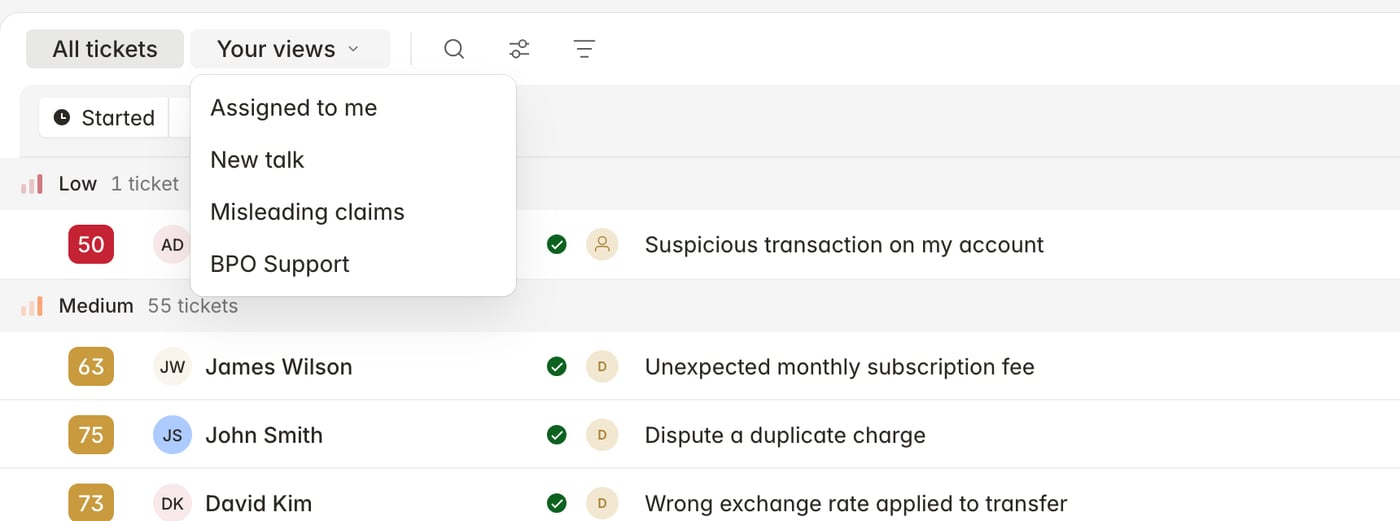
Home shows what to do next
Home now opens with a short list of Suggested tasks based on what you have been working on recently, like re-reviewing tickets that failed a criterion or creating a weekly report. Accept one to add it to your tasks, or dismiss it.Below that, Tasks collects the reviews, calibrations, coaching sessions and disputes waiting on you, grouped by when they are due. When you mark a review or coaching task done, it is resolved at the source too. The side panel shows this week’s low scores and how each team is performing.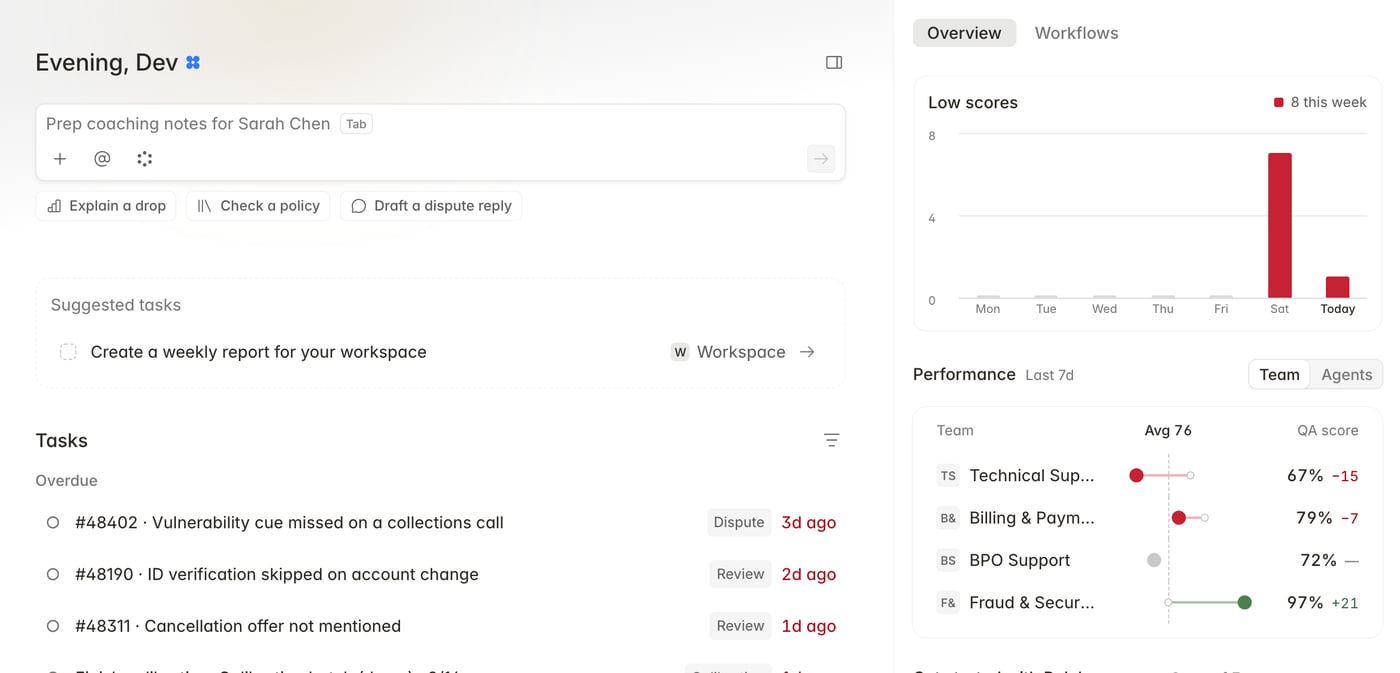
Chats have their own page
Chats is now in the main sidebar. Pin the chats you use most, and find the rest grouped by Today, Yesterday, Previous 7 days and so on. Rename, export or archive a chat from its menu. Saved chats also show up in Cmd+K search.If a chat is interrupted mid-answer, you can now pick it up again with Retry instead of losing the reply.
Ticket reviews are easier to read
Each criterion is now a single card with its result and reasoning. Checks are listed one per row, with the most serious first, and Show criteria opens the full check when you need it. AI and Manual sit side by side at the top of the review, and if there is no manual evaluation yet you can start one from there.Faster manual evaluations
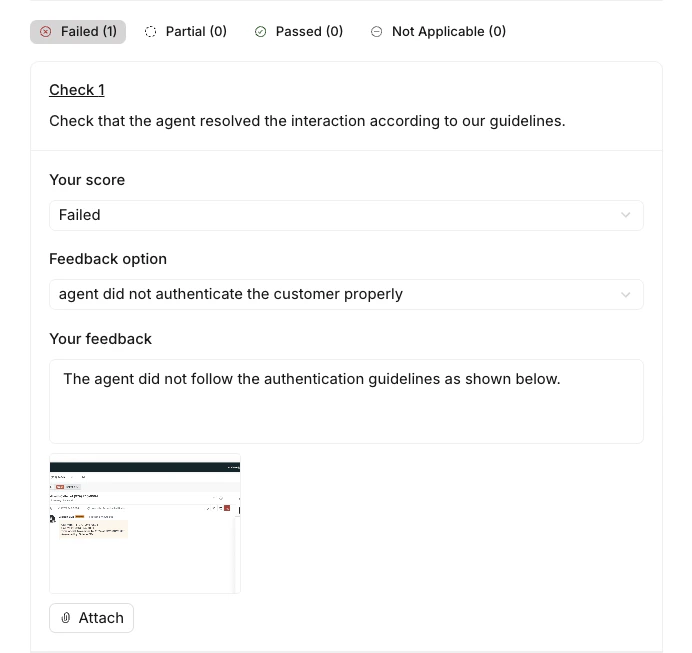
Filter checks by All, Fail, Partial, Pass or N/A, with a count on each. Failed and partial checks open by default. Score a check with a single Fail / Partial / Pass / N/A toggle, and pick feedback reasons from a full, wrapping list instead of a cut-off dropdown. Saved evaluations use the same layout, so they read the same way afterwards.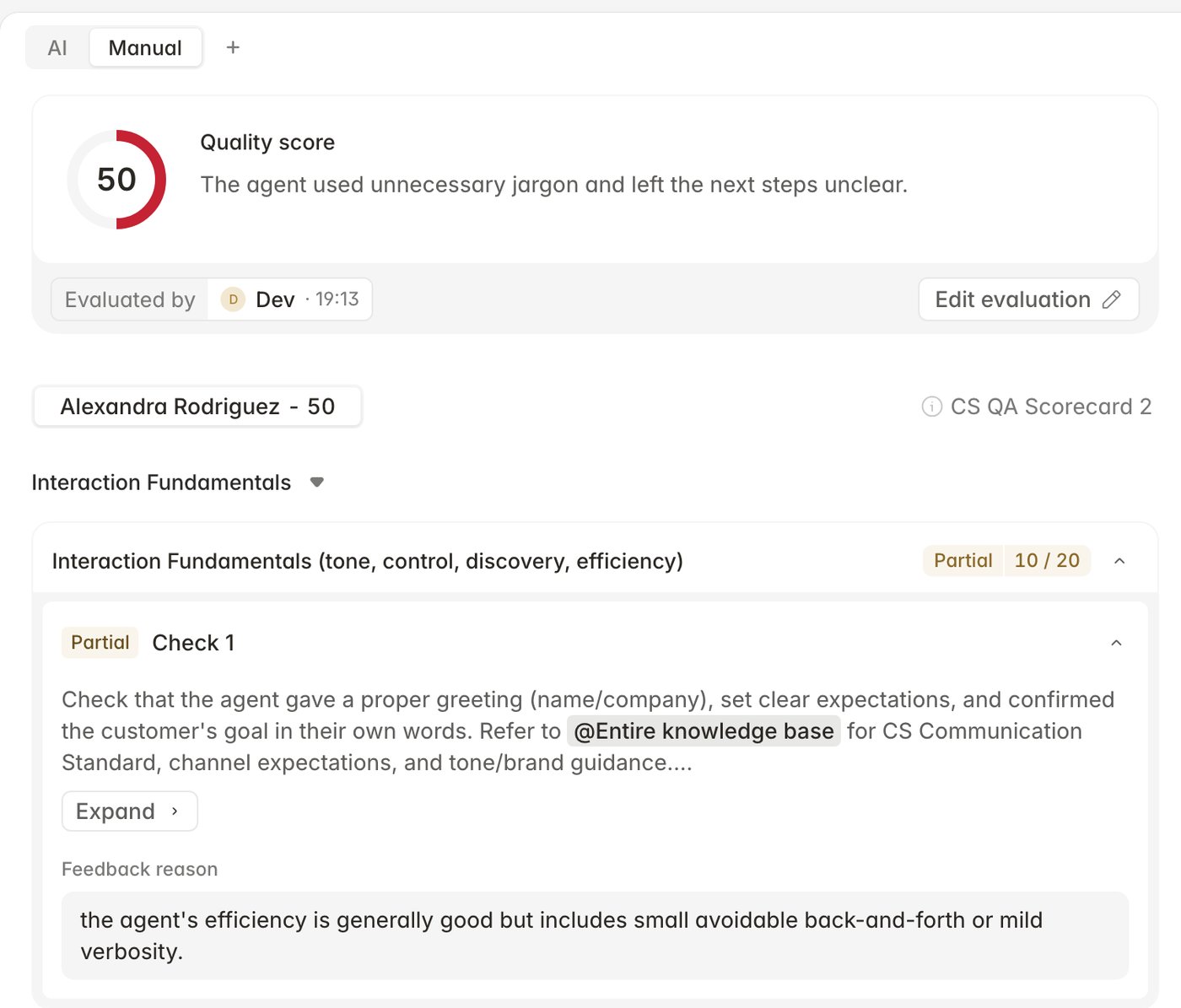
Coach several agents at once
The New session dialog has been redesigned. Pick several agents, or a whole team, and a session is created for each of them. The coach defaults to you, and you can add focus areas and tickets before you create the session. Coaching performance is now available to every workspace with coaching turned on.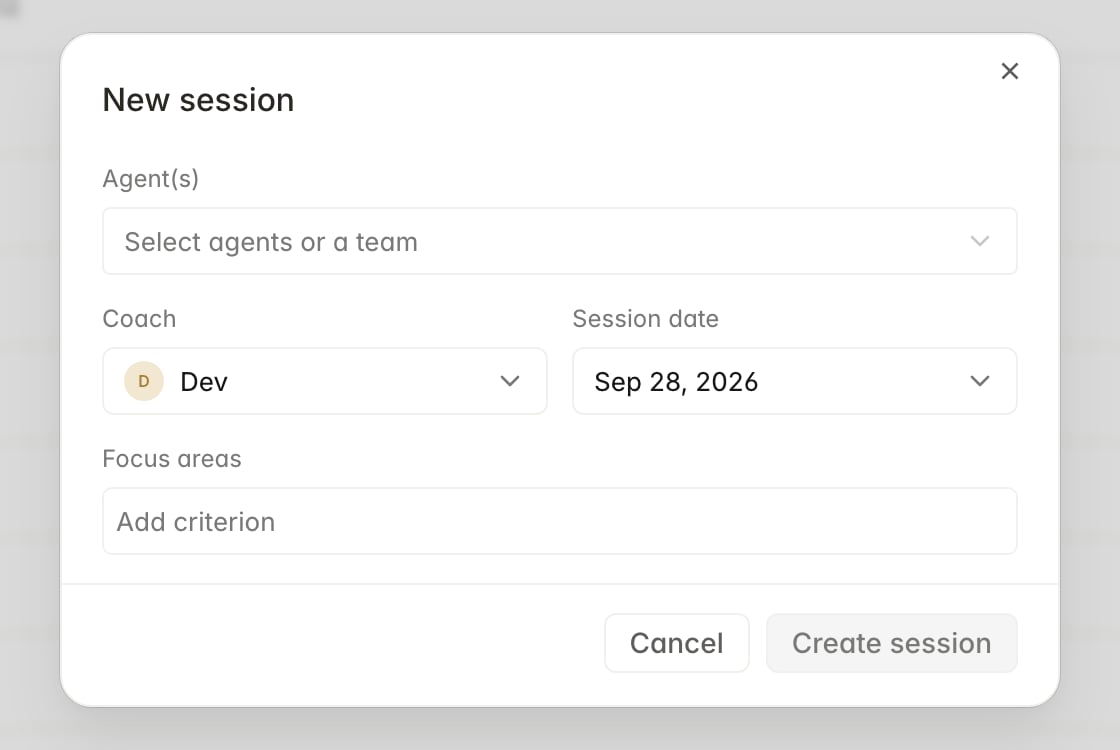
Complaints
- Paste a ticket ID into Complaints search to find the complaint it belongs to.
- Opening a linked ticket from a complaint shows it alongside the complaint, with an expand button for the full conversation.
- Linked tickets now sit above Activity on a complaint.
- Tickets show their linked complaints in Linked activity.
Improvements
- Scheduled exports now offer three clear datasets: Evaluations, Interactions and Complaints. Past exports are still available.
- Added a Work item is imported trigger in Settings -> Routing, so new back-office work can be assigned as soon as it arrives.
- Drag across checkboxes to select several tickets or evaluations, or use Select all.
- The manual evaluation banner disappears once the evaluation is complete.
- Opening a canvas in full view now has Minimise, which takes you back to the chat it came from.
- Instruct gives more thorough answers to QA questions, and can update a canvas made in another chat.
SettingsComplaintsQA
Complaints now live in Settings → Reviews
We’ve moved Complaints into Settings → Reviews. Manage complaint types there alongside customer issues and products. Older Complaints settings links still take you to the same place.QAComplianceInsightsSettings
Control which tickets get evaluated
Eligibility rules moved out of a dialog and onto their own page under Settings -> Evaluations -> Eligibility. Exclude tickets by tag or by customer, keep your custom instructions alongside them, and test the draft rules against a real ticket in the side panel before saving. The customer picker now shows and searches by email.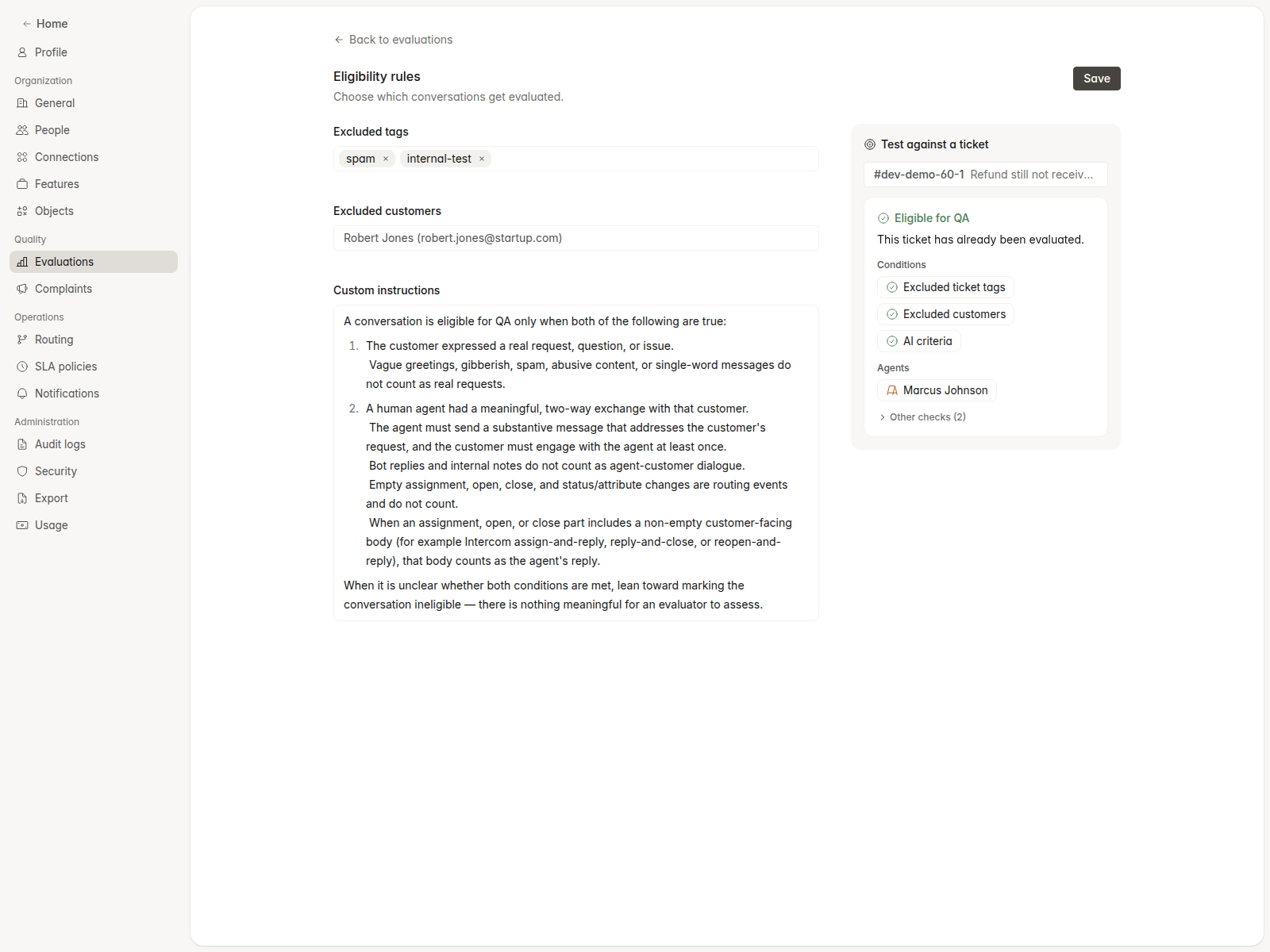
Restore earlier scorecard versions
Every scorecard publish is now recorded with a short summary of what changed. Open the version history from the scorecard page to compare versions and restore an earlier one.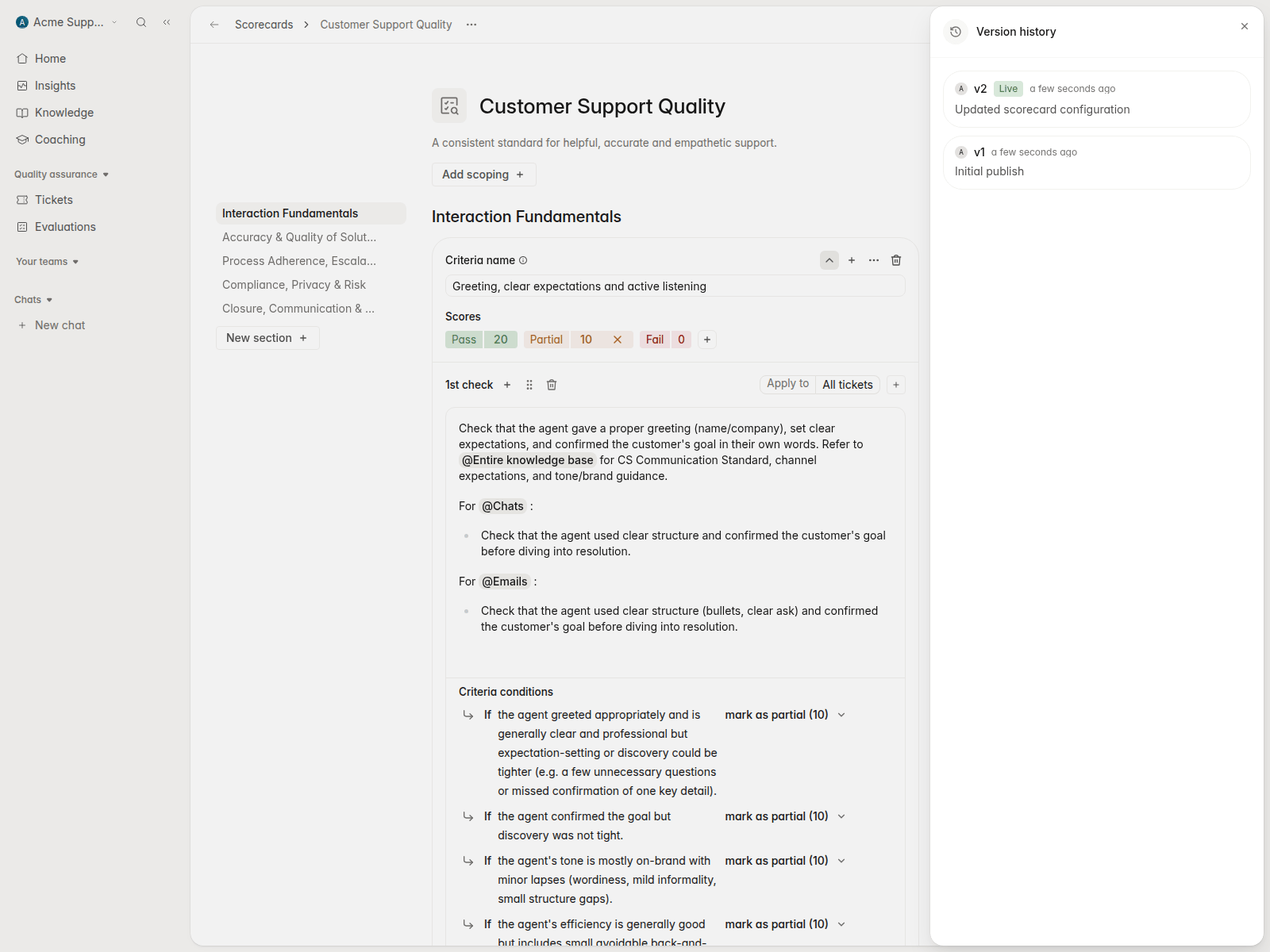
Export complaints with the columns you need
Compliance -> Complaints has an Export button with a column picker, live preview, and email delivery. The Complaints tab on Tickets uses the same export, so filtered complaint lists no longer download as QA spreadsheets.Complaint categories can be limited to call, email, or chat, and the category dialog uses filter pills for workspace, channel, and risk level scoping.See agent workload on SLA breaches
SLA breach badges and the SLA outcomes drilldown now show who was assigned and how many emails, chats, and calls they were carrying at the time. Hover a breach for the full picture, or choose Learn more to open Instruct with the agent, ticket, and breach time already loaded.Back office work in reports and Performance
When Work item QA is on, weekly agent performance reports include completed back-office work items, with a Back office tickets completed chart on the agent overview. Insights -> Performance agent tables count back-office evaluations too.A new root cause table on Scorecard performance slices findings by agent, task type, and evaluator, shown per 100 evaluations so agents with different review volume can be compared.Dashboards and Insights
Charts can filter by conversation custom fields, resolution time, and handling time thresholds, and each chart grouped by week can choose its own Start of week.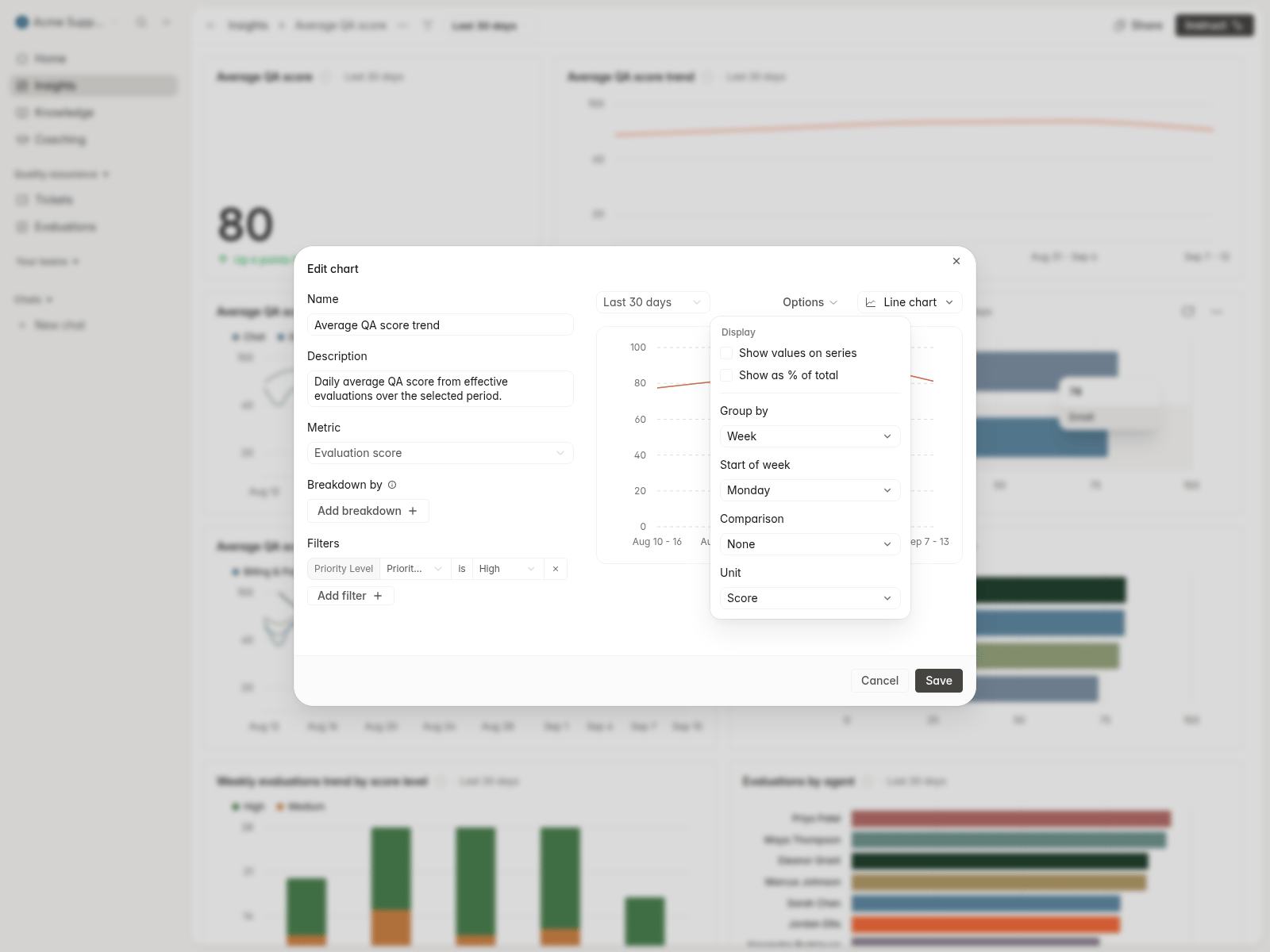
Improvements
- Added Veriff and ComplyAdvantage to Settings -> Connections, with screening previews that show the search inputs and matching entities.
- Added Export now to the recurring export dialog, and switched the Tickets export to the All interactions column picker.
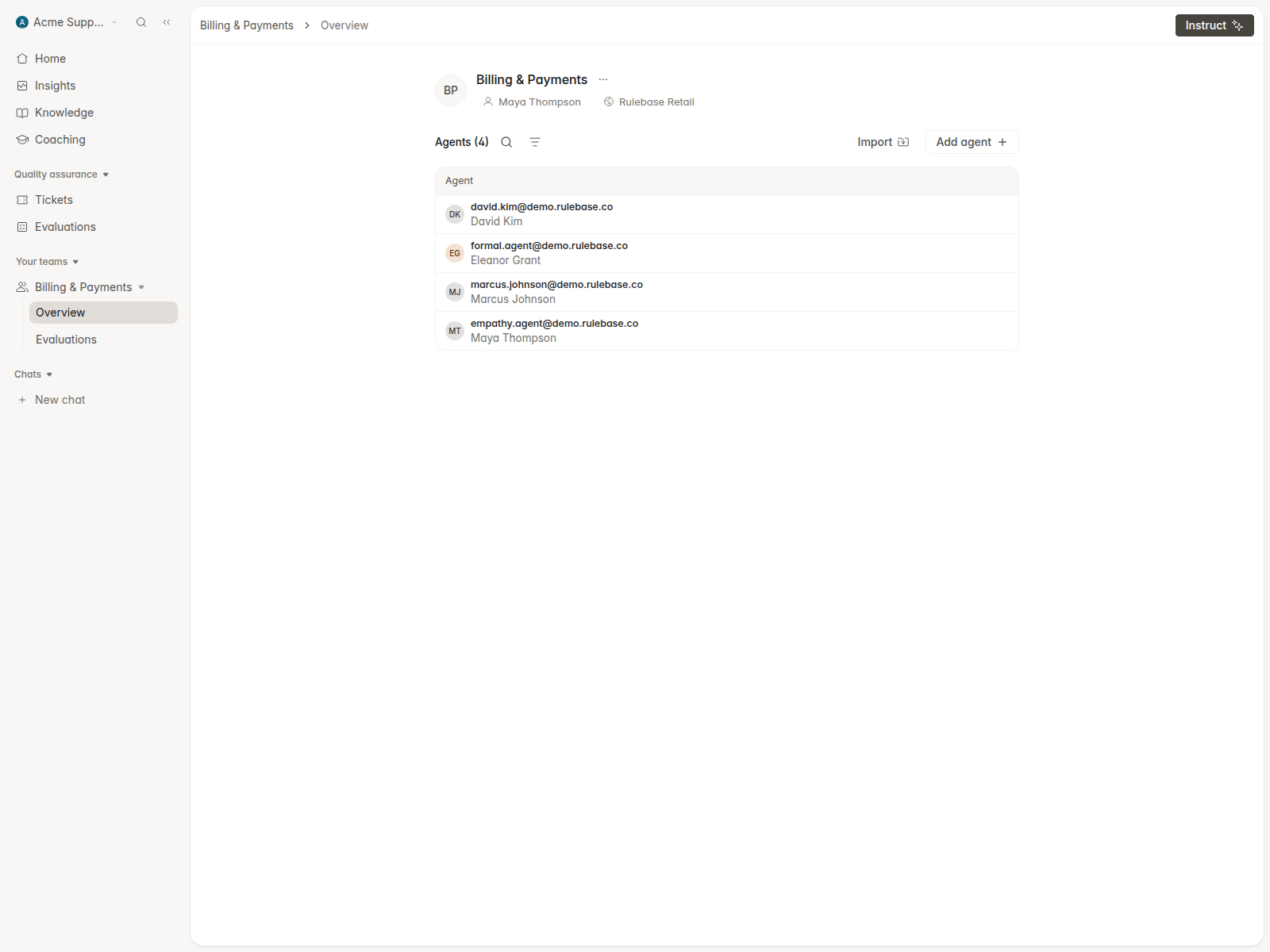
- Added agent start dates and an optional New joiner period in agent settings.
- Let teams be deleted without losing their evaluation history.
- Labeled unknown call speakers instead of forcing them into agent or customer.
- Let QA evaluations read linked tickets in full, so follow-up work in a related ticket counts toward case continuity.
- Changed redaction placeholders to
[REDACTED <TYPE>]so evaluators do not mistake them for agent errors.
QABack officeInstructSlackSettings
Saved views moved onto Tickets, Back office, and Evaluations
Saved views are now pill tabs on the page they filter. All tickets is the default tab on Tickets, with All tasks on Back office and an organization-wide Evaluations page under Quality assurance. Create and edit views inline with suggested names, hover a tab to preview its filters and count, and drag tabs to reorder them. The Records section and view sharing are gone; every saved view is visible to the whole organization.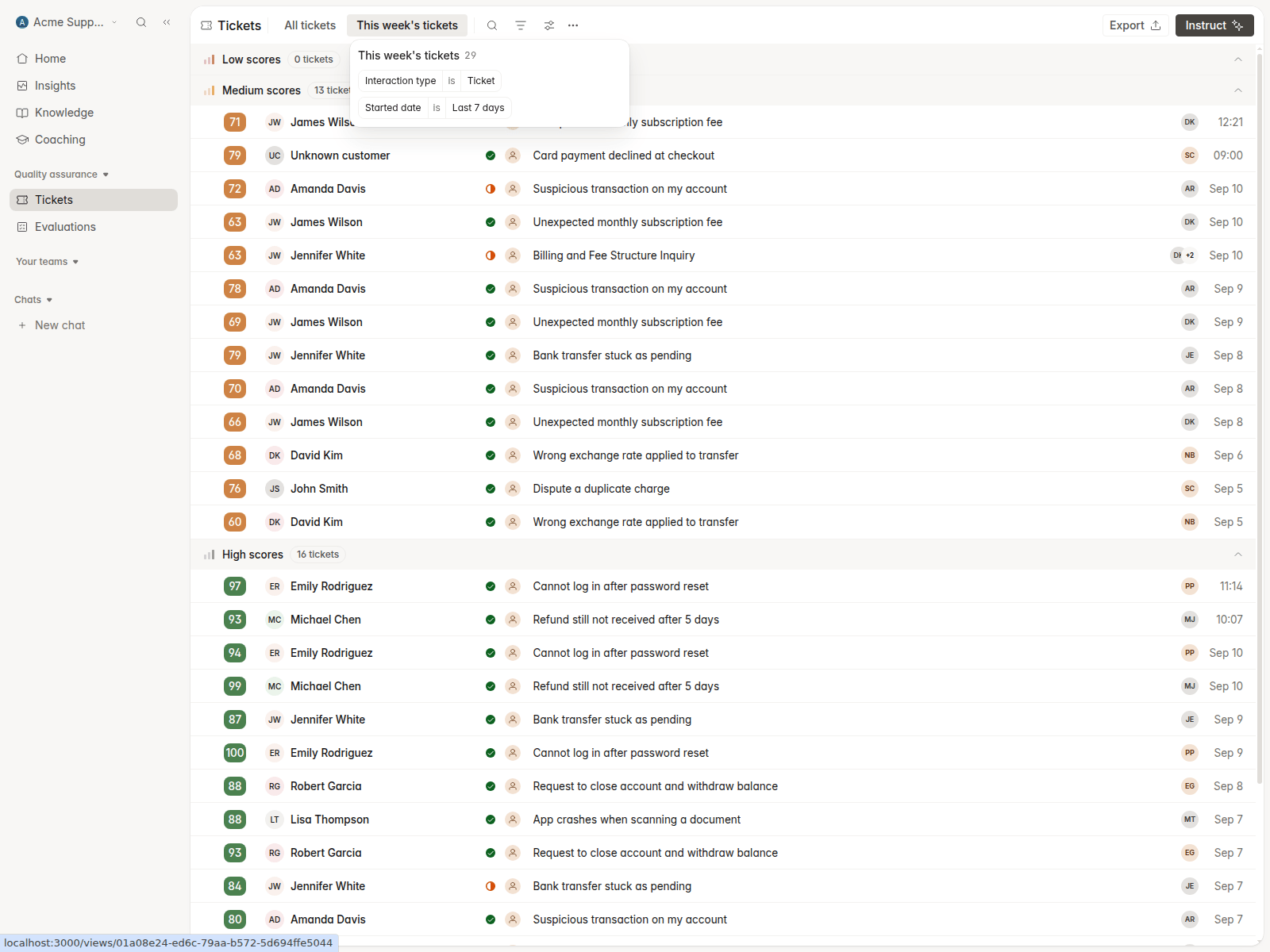
Route and review back-office work items
Back office work items can be assigned to a reviewer and routed like tickets. A Work item is evaluated trigger in Settings -> Routing assigns items by QA score, including to assignment queues, and coverage rules gain a Back office tab. Agents can contest work-item evaluations, with routing, email, and Slack notifications when they do.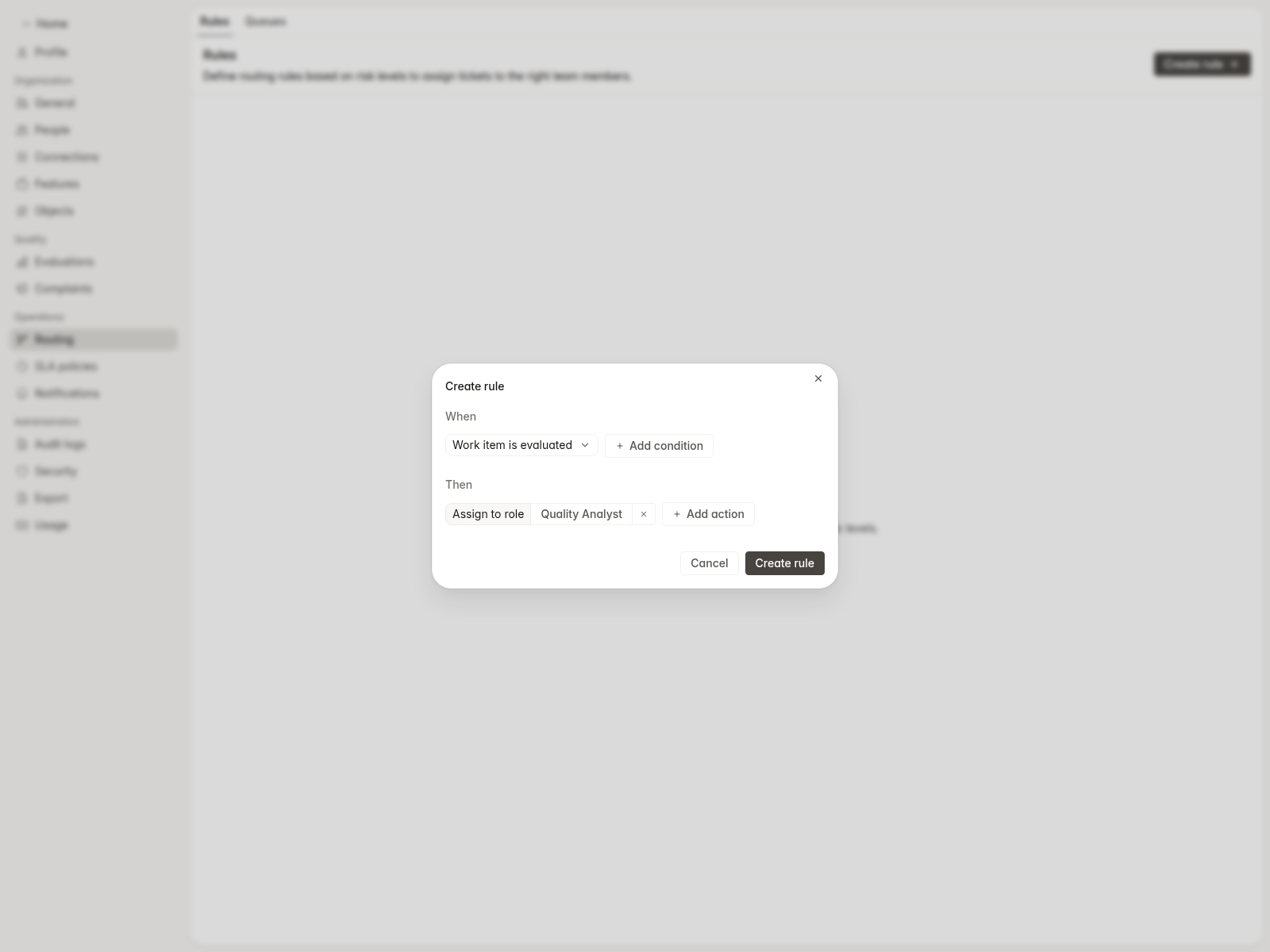
Instruct draws charts you can edit
Ask Instruct an analytics question and it renders the chart in the chat. Open it in a workspace tab to see the raw results, tweak it in the chart editor, and place it on a dashboard when you are ready.The chat panel is now a tabbed workspace for tickets, sheets, canvases, and background tasks. Instruct can also refresh a ticket and transcribe all of its calls in one step, search Jira and JSM requests, and look up work items.Rulebase in Slack: channels, contests, and call recaps
Rulebase can listen in a Slack channel once someone turns proactivity on there. It answers when addressed by name, runs lookups before replying, and only offers writes it can carry out with your confirmation.When an agent contests an evaluation, the reviewer gets a Slack card with the finding and Accept or Reject actions. After a call, the handling agent can receive a short recap in Slack that links to the transcript in Rulebase. Recaps are off until each person turns them on.Performance targets and approvals
Set targets for teams, agents, and brands from the Performance details panel, with an optional target date and a roadmap from current to goal. Organizations with evaluation approvals on get an Approved reviews metric and an approval status filter on dashboards.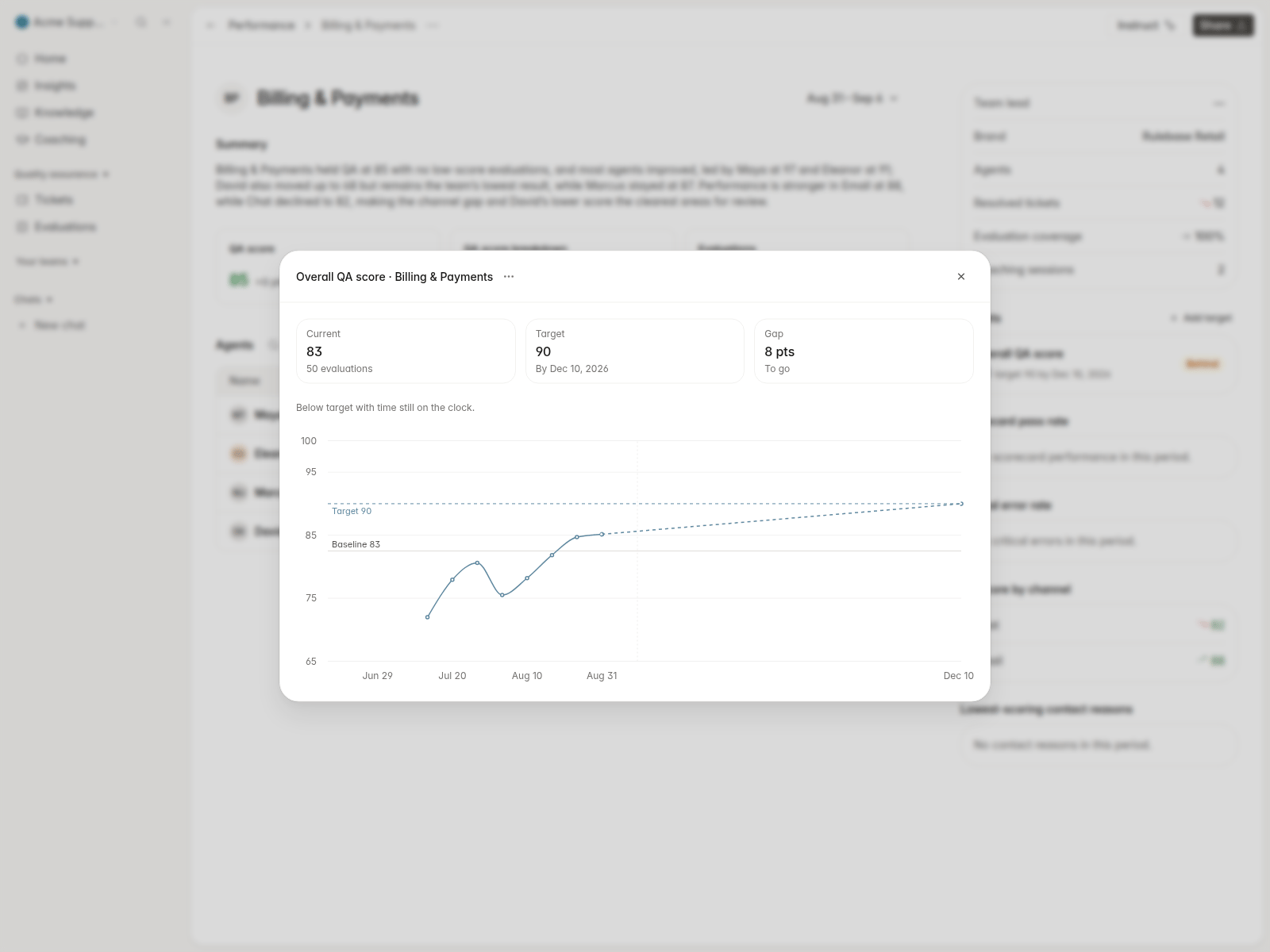
Improvements
- Added a Your teams sidebar section that pins teams and opens their evaluations.
- Let assignment queues use custom percentage shares as well as even round-robin.
- Added a Team condition on the Ticket is evaluated and Evaluation is contested routing triggers.
- Let SLA policies be deactivated without deleting them.
- Listed recent exports on Settings -> Exports with download links.
- Added a Gradient Labs connection in Settings -> Connections.
- Let the command menu find tickets by Jira issue key.
- Redesigned the Beam Zendesk app around the open ticket and your recent calls.
- Removed Disputes and Marketing from the Compliance sidebar.
- Added a progress bar at the top of the page while navigating.
QACoachingInsightsSettingsInstruct
Comment on criteria and see who has read feedback
Each criterion on a QA evaluation has a comment thread. Mention a colleague to notify them by email with a link that opens the exact criterion; agents see only threads they were mentioned in.Evaluations show whether the agent has opened them, and the evaluations list has a Read status filter.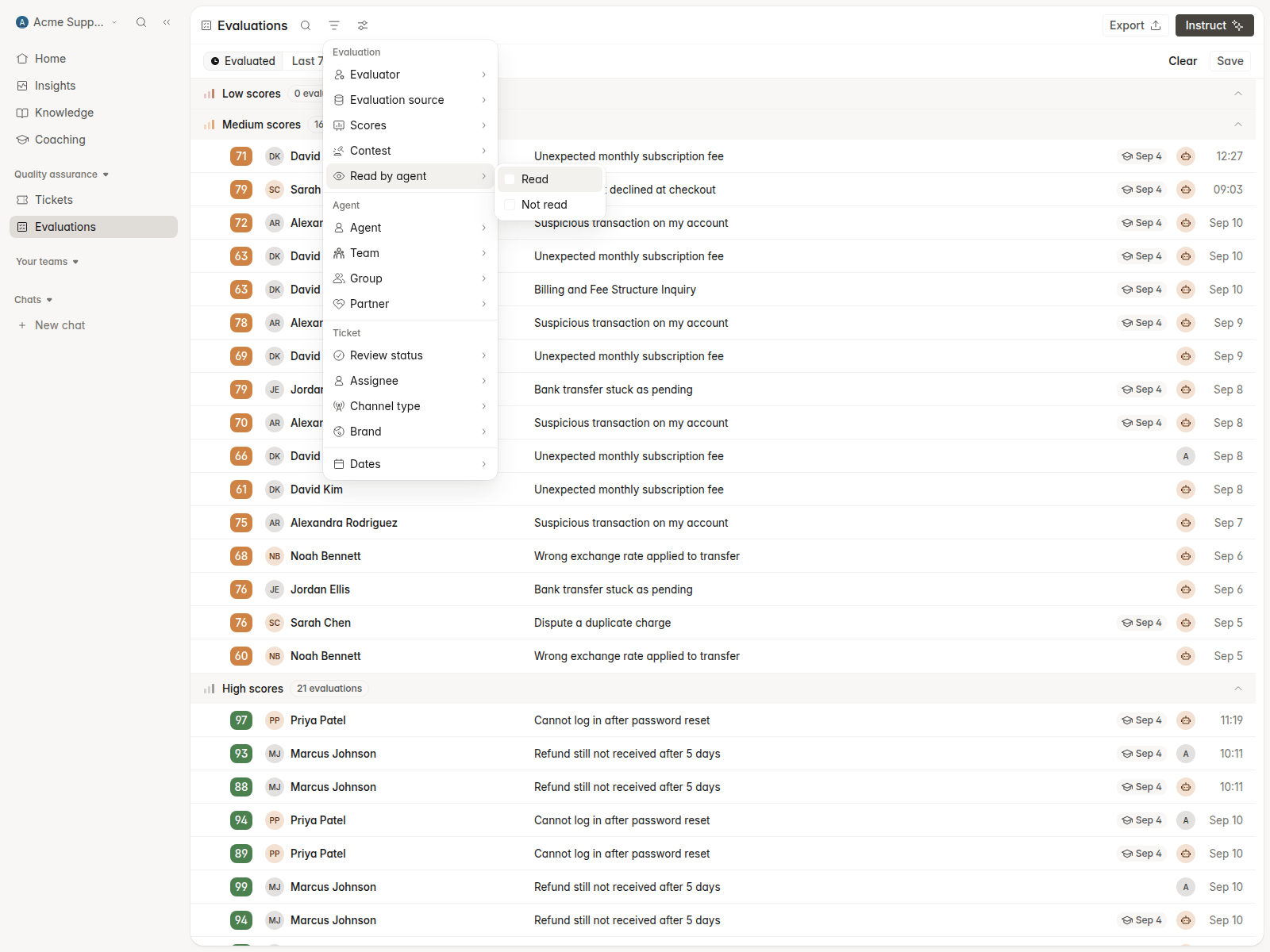
Manage integrations as connections
Settings -> Integrations is now Connections, grouped by what each provider does for you, with a page per provider that consolidates multiple accounts. Slack can be disconnected from there, and you can connect one or more status page RSS feeds so QA evaluations know about incidents that overlapped a ticket.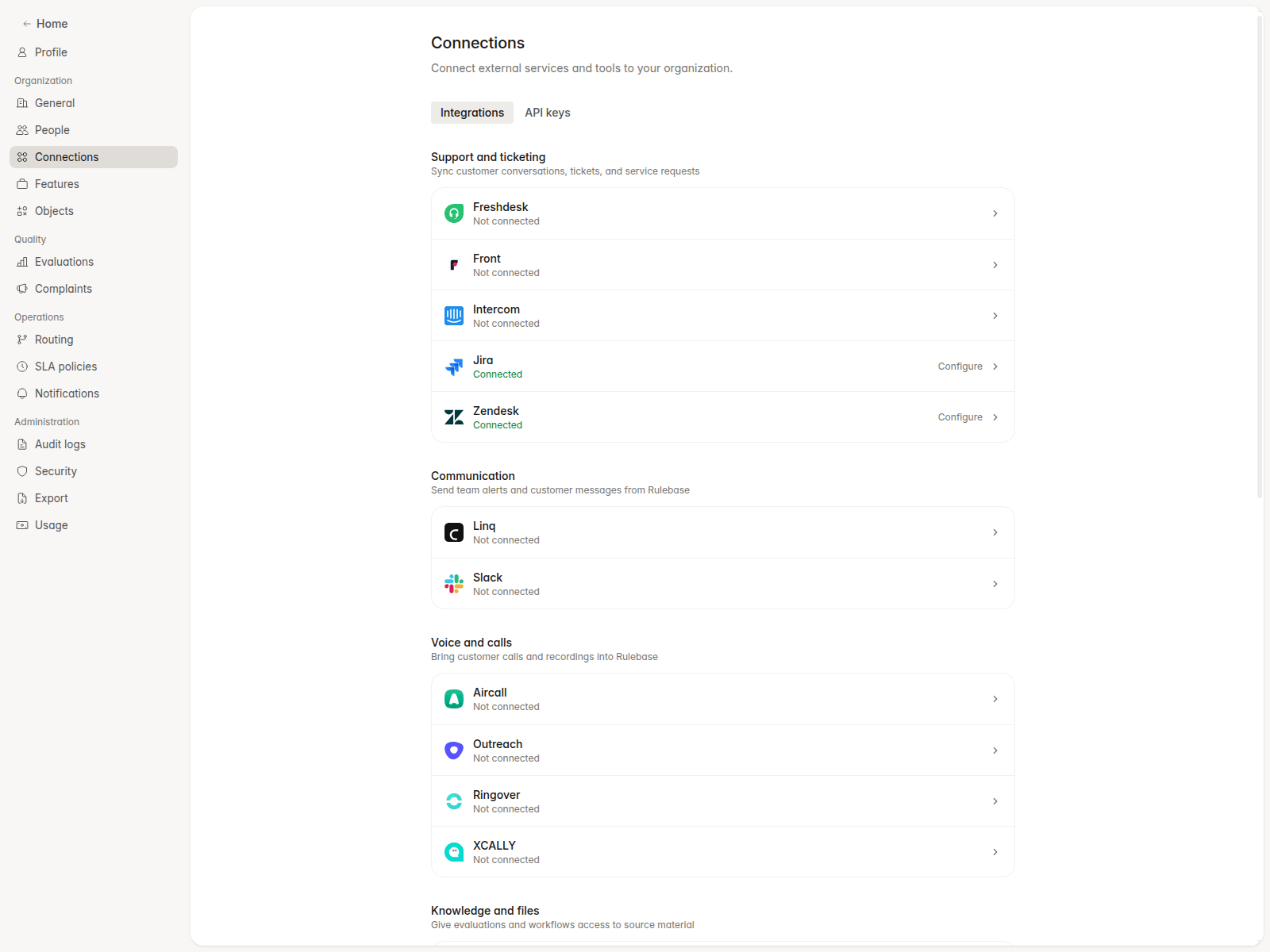
Move agents between teams without losing history
Changing an agent’s team opens a dedicated dialog that lets you carry their past evaluations to the new team, from a date you choose or all of it. Team CSV imports offer the same choice. Teams can have any number of leads.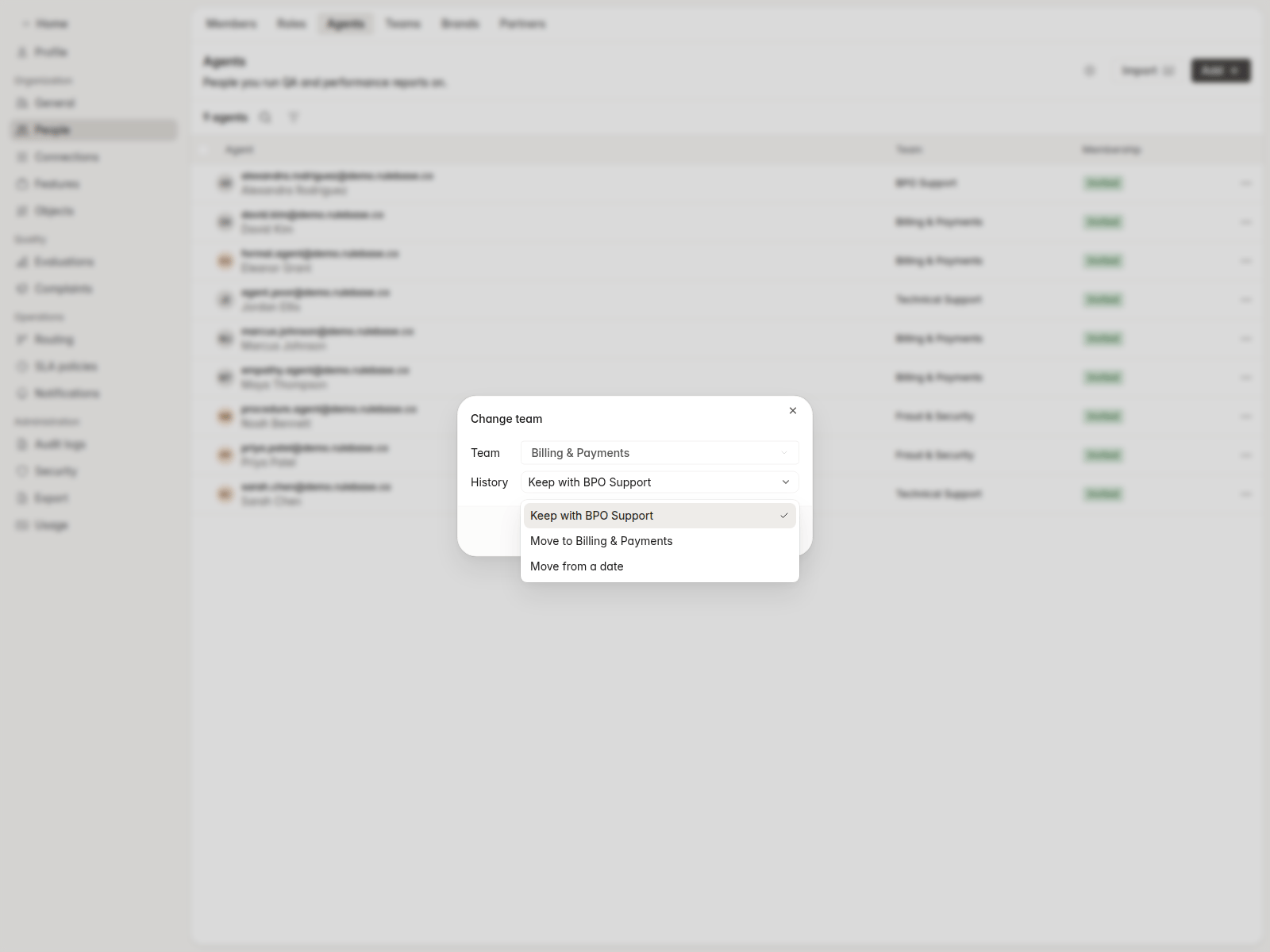
Find anything from the command menu
The command menu searches tickets, work items, agents, customers, and knowledge documents, remembers where you have been, and offers actions such as creating a complaint or asking Instruct.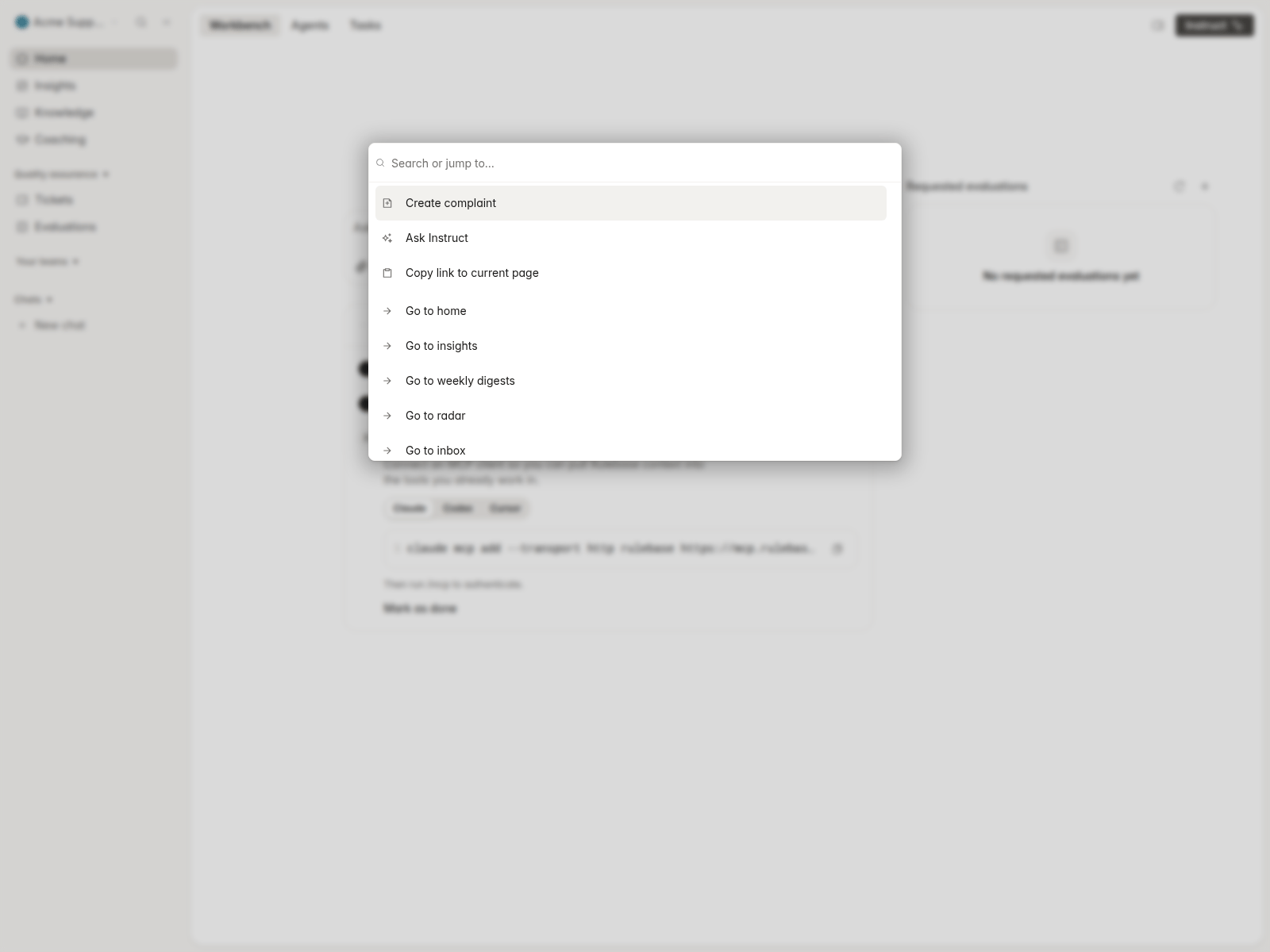
Coaching sessions with tickets, topics, and agent feedback
Attach evaluated tickets and topics when creating a coaching session. Coaches can share feedback the agent sees while keeping session notes private, and coaching sessions can be started from an agent’s timeline.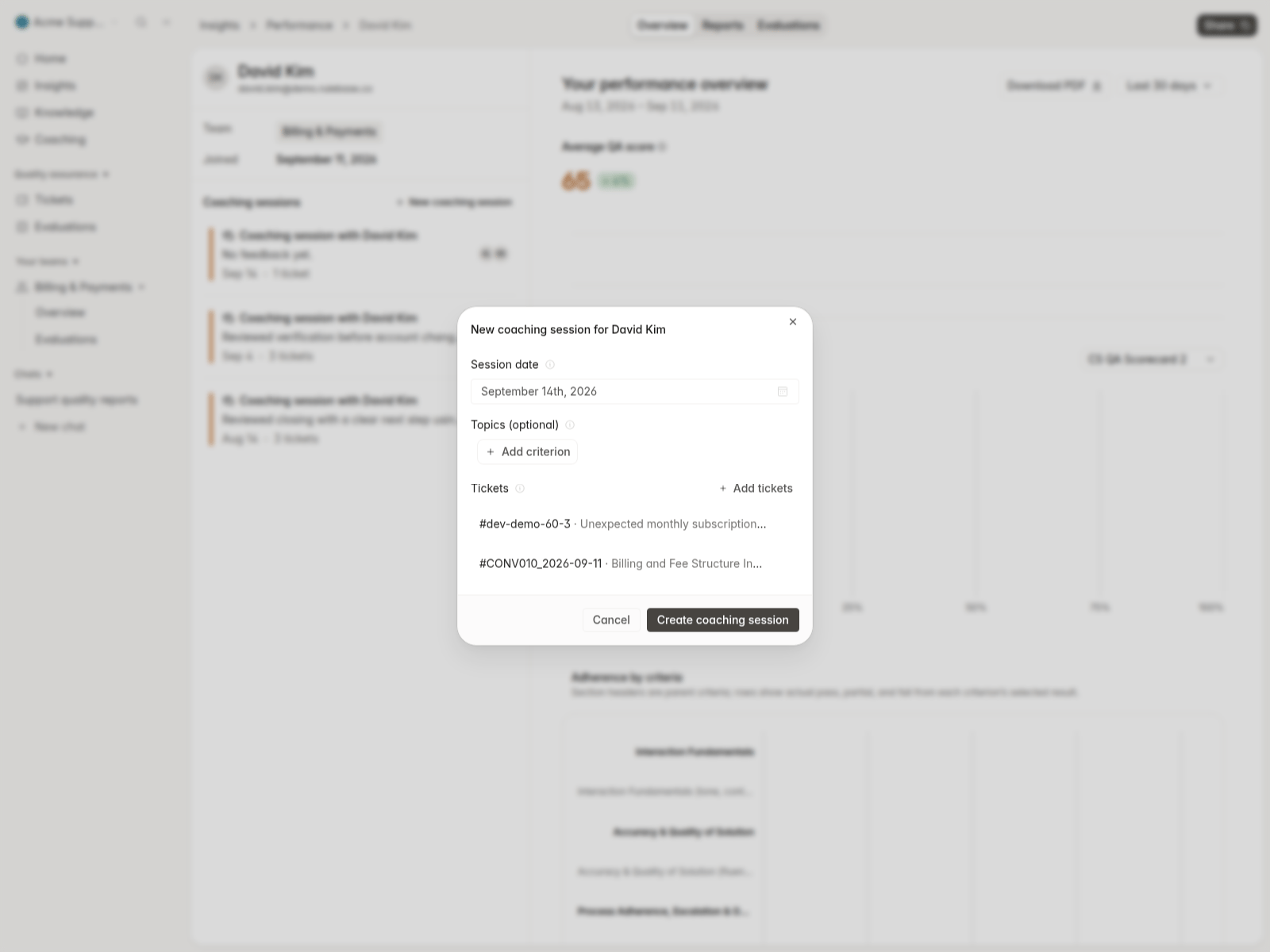
Dashboards and Performance
Average CSAT is a dashboard metric, with Zendesk CSAT responses synced in. A Closed conversations source measures each close action and credits the agent who closed it, and scorecard criteria charts can be broken down by outcome with stacked bars.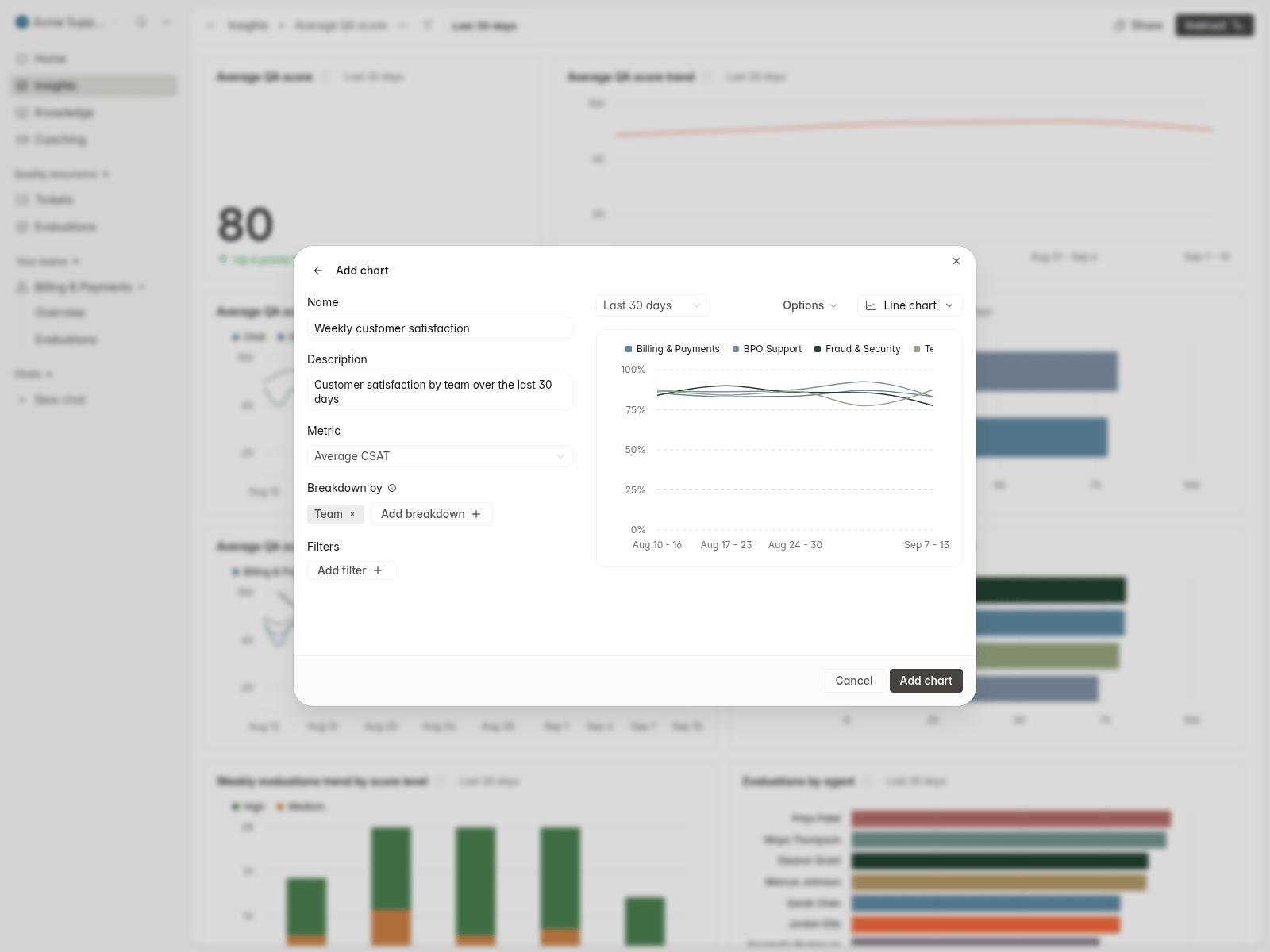
Improvements
- Re-evaluate specific tickets by pasting their IDs, alongside condition-based selection.
- Queued Tickets and Evaluations exports and emailed them, so large exports no longer time out.
- Added name and address redaction as opt-in rules in Settings -> Security.
- Gave back office work items a review status, display options, and a place on the agent dashboard.
- Let reports be delivered as Slack direct messages.
- Let new workspaces choose a data region at signup and follow a setup checklist on Home.
- Created a QA evaluation per participating agent on multi-agent work items.
QABack officeInsightsSettingsInstruct
QA for back-office work
Back office work items can be reviewed the way tickets are: open an item, submit a manual evaluation, or queue an AI review, then filter and group the list by QA score. Import work items and their activity logs from CSV, Excel, JSON, or text files with an AI-assisted preview, and include work items in calibration sessions.Team, brand, and team lead performance
Insights -> Performance has Teams and Brands tabs with QA score trends, plus a Team leads view and a dedicated team lead page. Pick which columns each table shows, and set a team performance page as your homepage.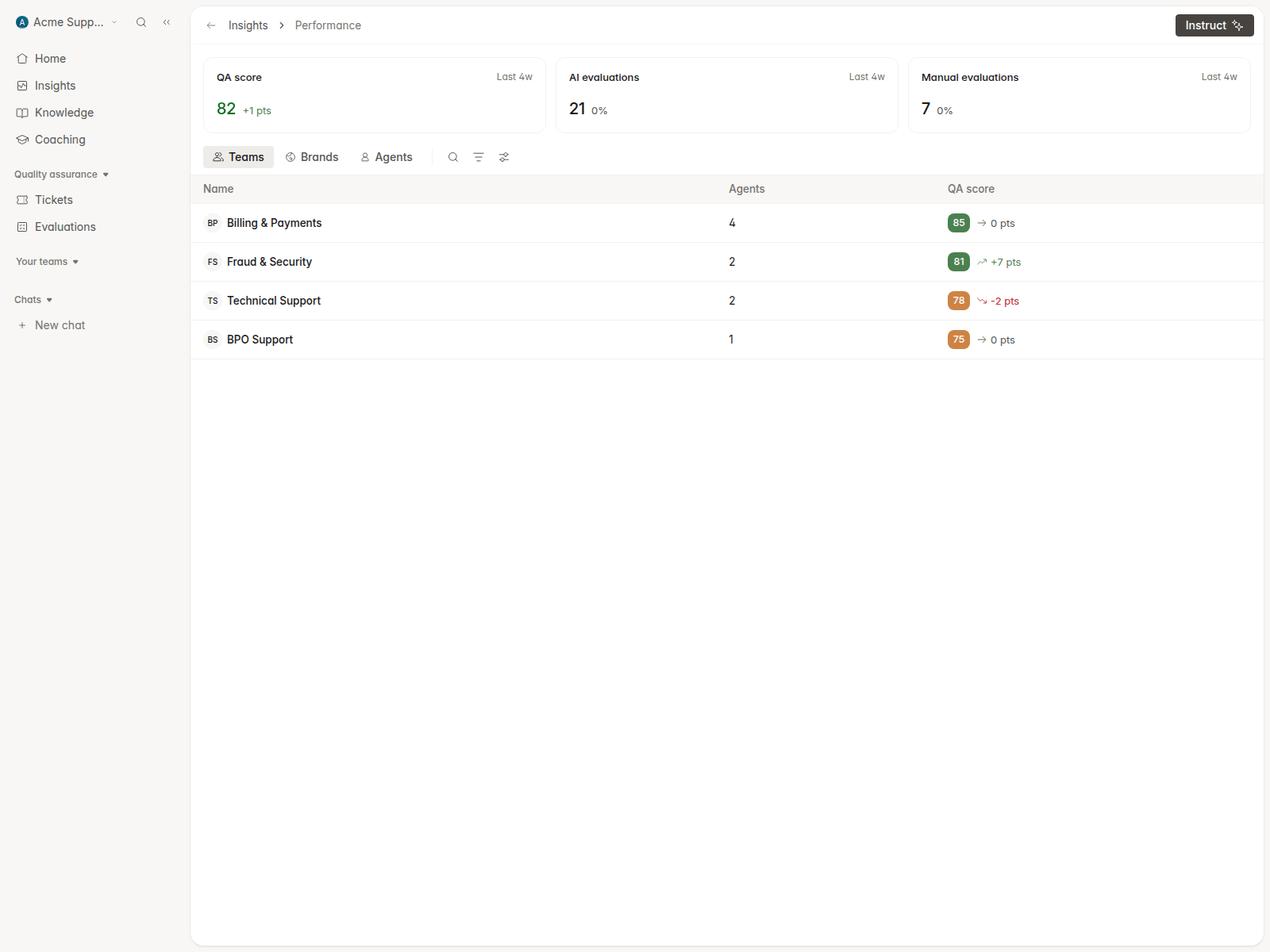
A simpler sidebar
The sidebar is reorganized around Quality assurance, Compliance, Records, Resources, Lists, and Chats, with fixed Tickets, Back office, Sales calls, and Customers destinations. The Customers sheet became a Companies directory with sorting, filtering, export, and a detail page per company. Boards and reports share one tabbed Insights page, and Docs and Changelog moved into the organization menu.Re-evaluate criteria across past evaluations
From Home -> Tasks, pick a date range, the criteria to re-run, and whether to target failed or auto-failed criteria. Preview how many evaluations match, then track the run and its before-and-after scores in the same list as requested evaluations.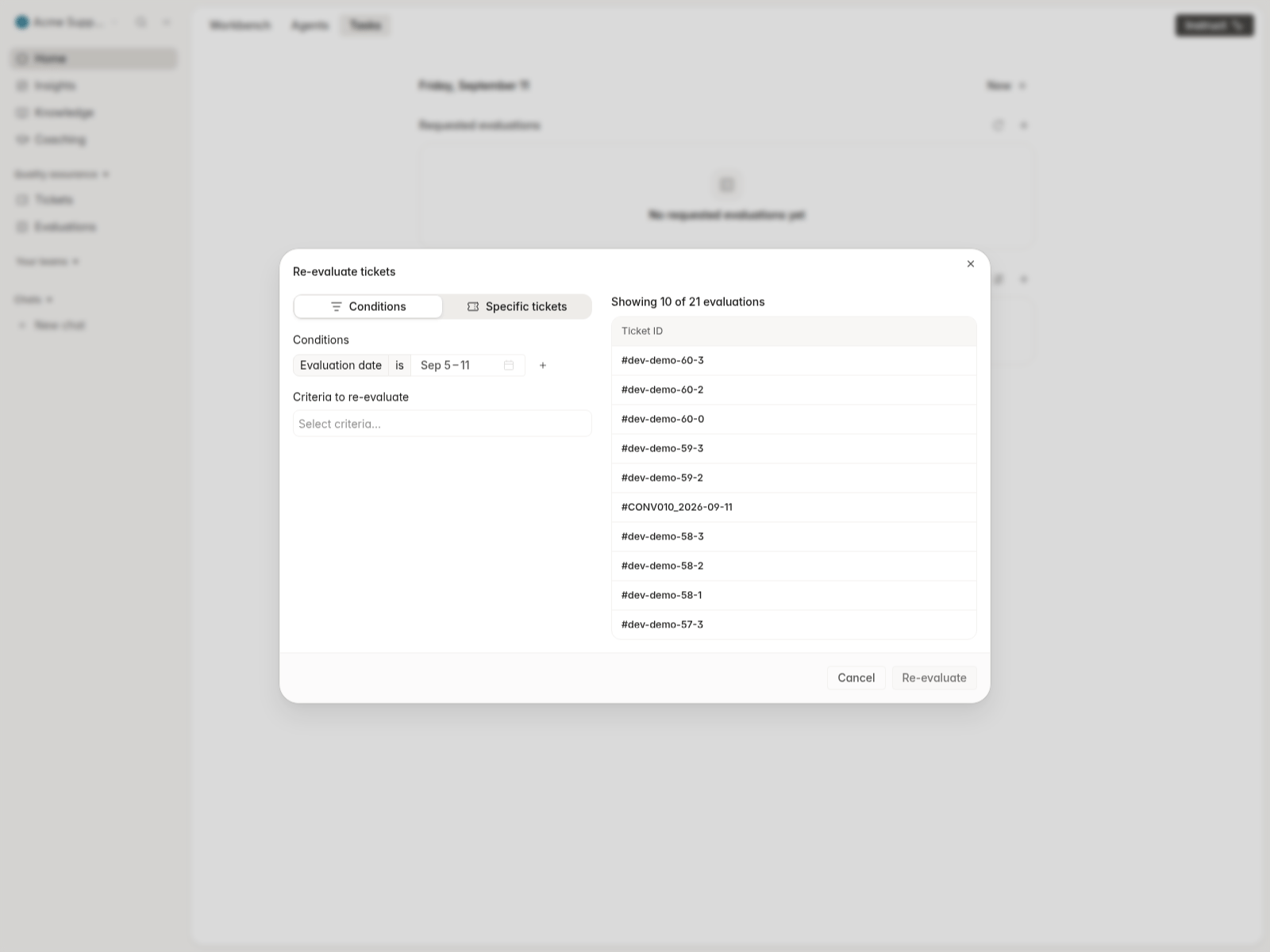
Calibration sampling and progress
Sample a percentage of eligible tickets when creating a calibration instead of assigning every match. A Calibration progress report under Insights -> Analytics tracks AI-vs-human and human-vs-human alignment across sessions, with a criterion drilldown.Instruct and MCP
Create and edit scorecards with Instruct, which now proposes changes for your approval. Instruct can also search Rulebase product guides, and generated files can be viewed and downloaded from chat. The MCP server gains read-only performance and coaching tools, work item write tools, and an EU endpoint.Improvements
- Broke AI credit spend down by use case and person on Settings -> Usage, including QA evaluation spend, with an activity feed.
- Coaching: a step-by-step create wizard, one Scenario/Progress sheet for session detail, reminders before a simulation is due, and an Add to Google Calendar link.
- Added Scribe as a knowledge base integration.
- Let administrators remove sensitive attachments from conversations.
- Added a Tags filter on every conversation list and preserved filters when you return from a ticket.
- Showed scoped members a clear no-access page instead of a blank screen for tickets outside their teams.
QAComplianceInsightsHome
Submit and validate manual evaluations
Manual evaluations can now move through a validation loop. For team members who cannot provide model-training feedback, selecting Submit for review publishes their manual score immediately and creates a validation submission. Routing rules for Evaluation approval is requested can assign the conversation to a reviewer, queue, or role.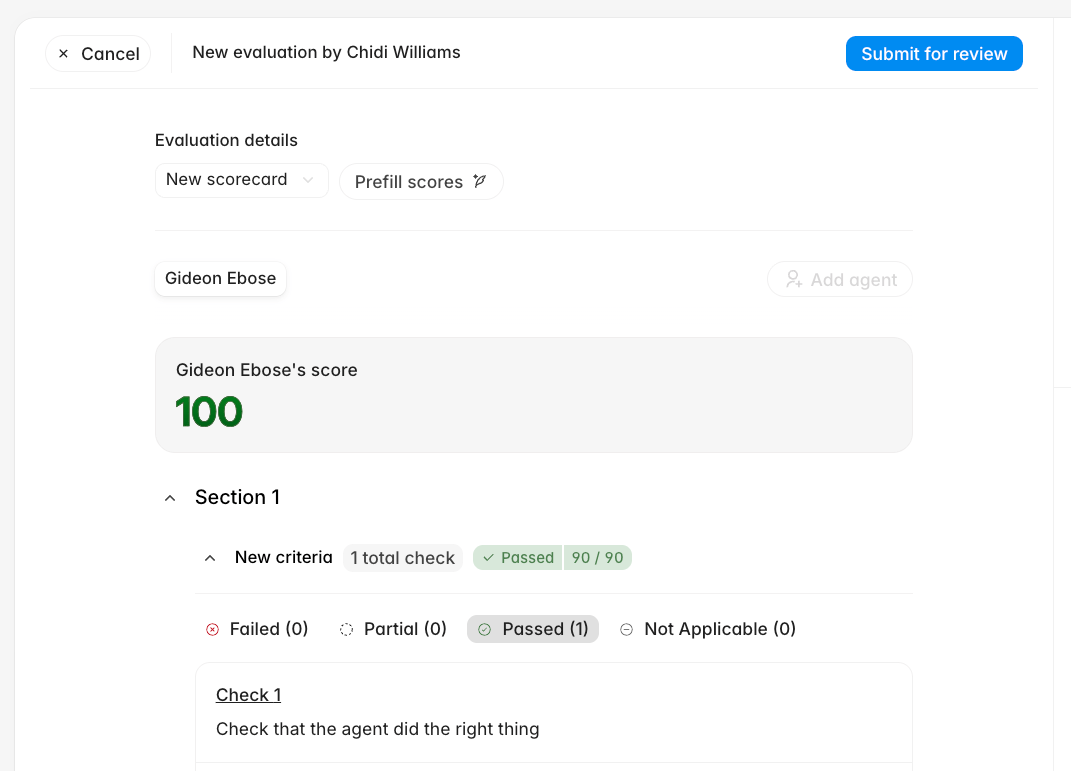
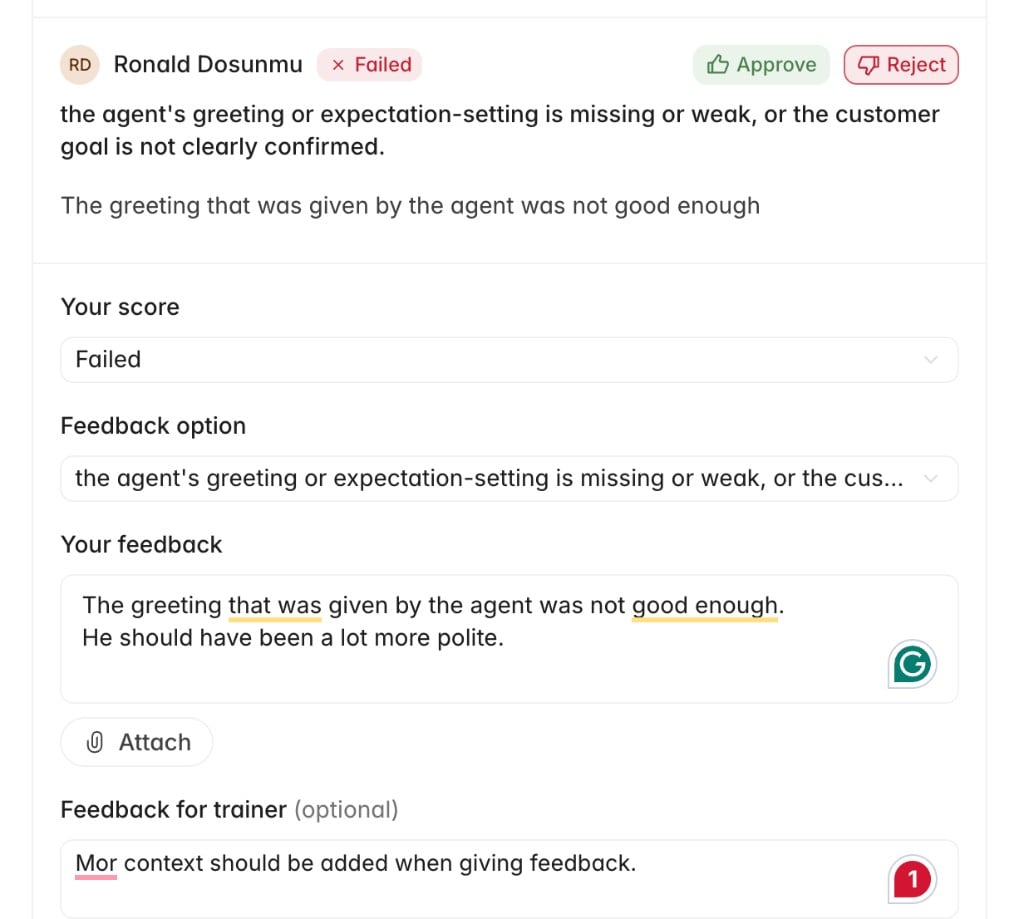
Find reviewer feedback from Home
Home -> Tasks now surfaces recent feedback on your manual evaluations. Each item previews the feedback with its conversation and review time, then opens the related evaluation.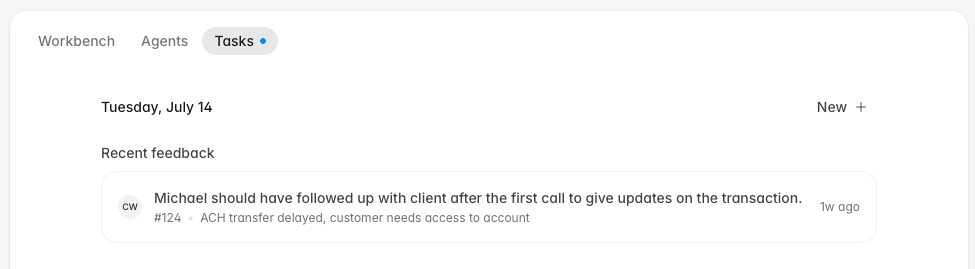
Manage agent rosters and QA exports
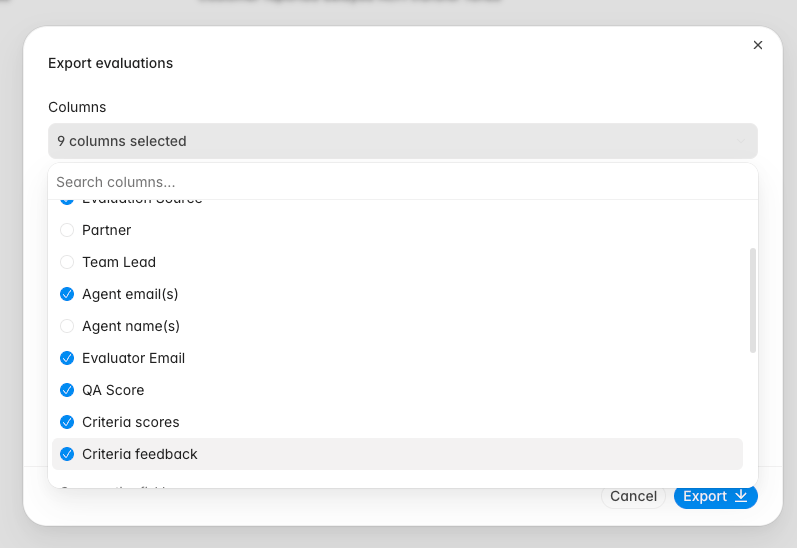
Settings -> People -> Agents now previews CSV changes before an import and lets you download and manage the existing agent roster. Bulk actions can move selected agents to another team or remove them from the active evaluation roster without deleting their historical work.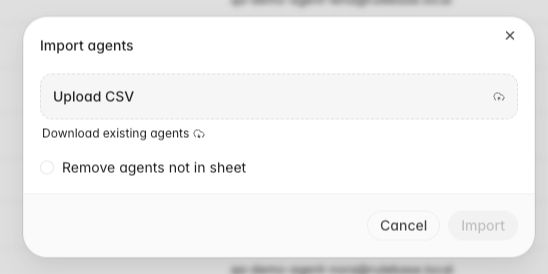
Populate compliance tests from sampled records
The Populate test dialog can now add random samples of conversations, disputes, compliance cases, or compliance alerts directly to the current test. For conversation samples, choose an Interaction type and describe relevant language in Transcript search. Repeated runs skip records already in the sheet. Processing and failure states show each generated cell’s progress, and completed results include supporting policy or framework citations.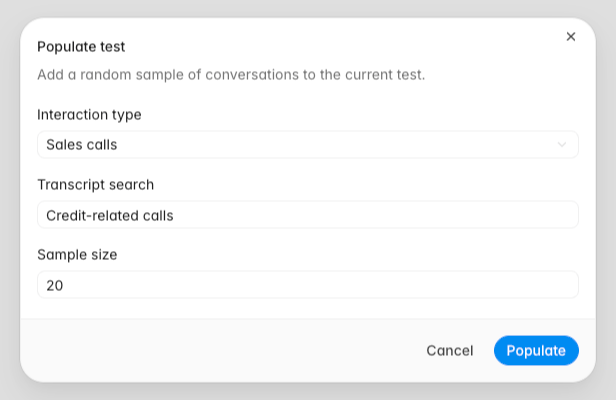
Duplicate, move, and filter dashboard charts
Custom dashboard chart menus now include Duplicate, Move to, and Copy to. The chart editor supports repeated Brand, Partner, and Agent joined date filters. Conversation drilldowns can export every matching row to CSV while respecting visible columns and local filters.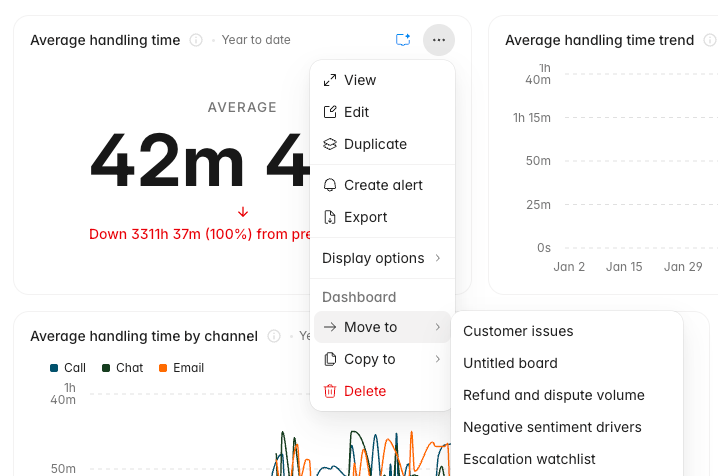
Fixes
- Fixed calendar-based dashboard comparisons so month-to-date, week-to-date, year-to-date, and today use matching previous periods.
- Preserved dashboard team and partner scope when opening expanded charts.
- Kept manual evaluation feedback and review state scoped to the correct agent on multi-agent conversations.
- Kept completed QA evaluations visible after an agent is removed from the active roster.
- Fixed feedback-driven re-evaluations so the correct evaluation reruns.
- Prevented a failure that could stop call transcripts from processing.
Improvements
- Grouped Settings -> Evaluations controls under Eligibility, Timing, Scoring, and Review, with Score bands under Scoring.
- Added Linq under Settings -> Integrations so Instruct and managed agents can send iMessage, RCS, and SMS messages.
- Made the agent chat sidebar resizable.
- Added the approver’s identity to completed human approval workflow steps.
- Added Open in new tab to the conversation right-click menu.
- Added an AI evaluation date filter and restored score-level grouping in evaluation lists.
- Added a Team lead column to the Teams table.
- Let Front-connected agents download image attachments for analysis.
CoachingAgentsIntegrationsHome
Coaching sessions track follow-up work
Coaching sessions now live on agent profiles with notes, linked evidence tickets, ticket-specific feedback, and a history timeline. You can add evaluated tickets to a session from conversation review, open feedback links directly into the related session, see upcoming coaching on Home, and let Instruct create sessions that default to next Monday when no date is provided.Agent workflows have clearer version history
Managed agents now support workflow versions, restore summaries, publish validation, loop and note nodes, left-to-right graph layouts, node search, and clearer activity that shows tool calls and who started each run. Restored versions are summarized in the version dialog, and deleted agents no longer appear in active run, schedule, webhook, email, or chat workflows.Connected tools handle more support work
Agents can now search live Intercom conversations, tag Intercom conversations, pick Intercom assignees from searchable admin and team lists, send Slack DMs through directory tools, and match Zendesk tickets to Aircall call records. Slack and Intercom connections in Settings now use the newer connection flow where available.Fixes
- Fixed sidebar credits so they keep displaying when the agent-credits query fails.
- Fixed truncated status badges in the bulk review import table.
- Fixed human approval page and email titles to say “Awaiting your approval” instead of workflow node names.
- Guarded graph subflow connections to prevent invalid workflow links.
- Made scheduled runs and Slack-connected sessions more reliable.
- Rate-limited Aircall matching requests so call matching stays stable during Zendesk updates.
Improvements
- Added configurable Home task widgets and an upcoming coaching module.
- Added canonical coaching session links, copy-link UI, and direct links from feedback to the related session.
- Added restore summaries, hover-only version actions, and version graph previews to managed-agent publishing.
- Added the run creator to agent activity so manual and delegated runs show who started them.
- Added live Intercom search, native Intercom tagging, and searchable Intercom assignment tools for managed-agent workflows.
- Added native Slack connection rows under Settings -> Integrations.
InsightsExportsInstructCustomers
Dashboards and reports get sharper
Insights can now create Average QA score and Evaluations boards from templates, with score-level trends, agent charts, AHT coverage, team or partner scope controls, and critical-error breakdowns by agent and failure reason. Report pages also have a cleaner reader, copy links, table-of-contents support, and better handoff into Instruct.Recurring exports move into Settings
Settings -> Export now lets you configure recurring exports for QA, evaluations, and all interactions, preview rows before saving, send an export now, and receive generated spreadsheets by email. Dashboard chart display settings are shared with everyone viewing the board, and expanded charts keep the same percent-of-total preferences as dashboard cards.Customers become company-backed records
The Customers area now uses company-backed records with list and detail views, saved tabs, grouping, company field filters, comments, clients, field-change activity, and agent tools for creating, updating, commenting on, and bulk-setting company attributes.Instruct and assistants carry more context
Instruct now understands stored views, dashboard statistics, selected reports, and page filters, so chat starts from the context you are looking at. Rulebase assistants can also work from Slack, Linear, Jira, and case threads with persisted tool context, Jira attachment analysis, case tools, and inline managed-agent delegation.Fixes
- Fixed expanded Instruct overlay layout and restored the shorter composer placeholder.
- Fixed weekly SLA outcome reporting and marked open weekly resolution outcomes correctly.
- Restored the QA Analysts analytics view on
/analytics. - Fixed team, partner, and site filtering in dashboard drilldowns.
- Prevented invalid generated React artifact sources from being saved.
- Restored email rendering for EU worker-sent exports and reports.
- Prevented Zendesk email comments and XCALLY dialer uploads from syncing with the wrong channel or customer direction.
Improvements
- Added recurring export schedules, preview rows, background delivery, and manual Send now actions.
- Added copy links to dashboard sharing and shared chart display settings across dashboard cards and expanded views.
- Added dashboard team and partner scopes, rate-within-group metrics, agent heatmaps, and critical-error drilldowns.
- Added company-backed customer views with saved tabs, grouping, field filters, comments, people, field-change activity, and agent tools.
- Added Instruct view context, dashboard statistics access, drag-and-drop attachments, and role permissions for Chats and Instruct.
- Added Slack, Linear, Jira, and case assistant context persistence so follow-up turns keep tool results.
- Added holiday calendars, conditional work schedules, and frozen weekly SLA outcomes for schedule-aware reporting.
WorkbenchAgentsInsightsSLA
Workbench brings agents and reviews together
Workbench now brings agent work, recent chats, assigned reviews, calibrations, and requested evaluations into one place. You can search recent chats and skills from the composer, attach images or files to Workbench chats, and start review work from compact task sections that keep conversation navigation scoped to the list you opened.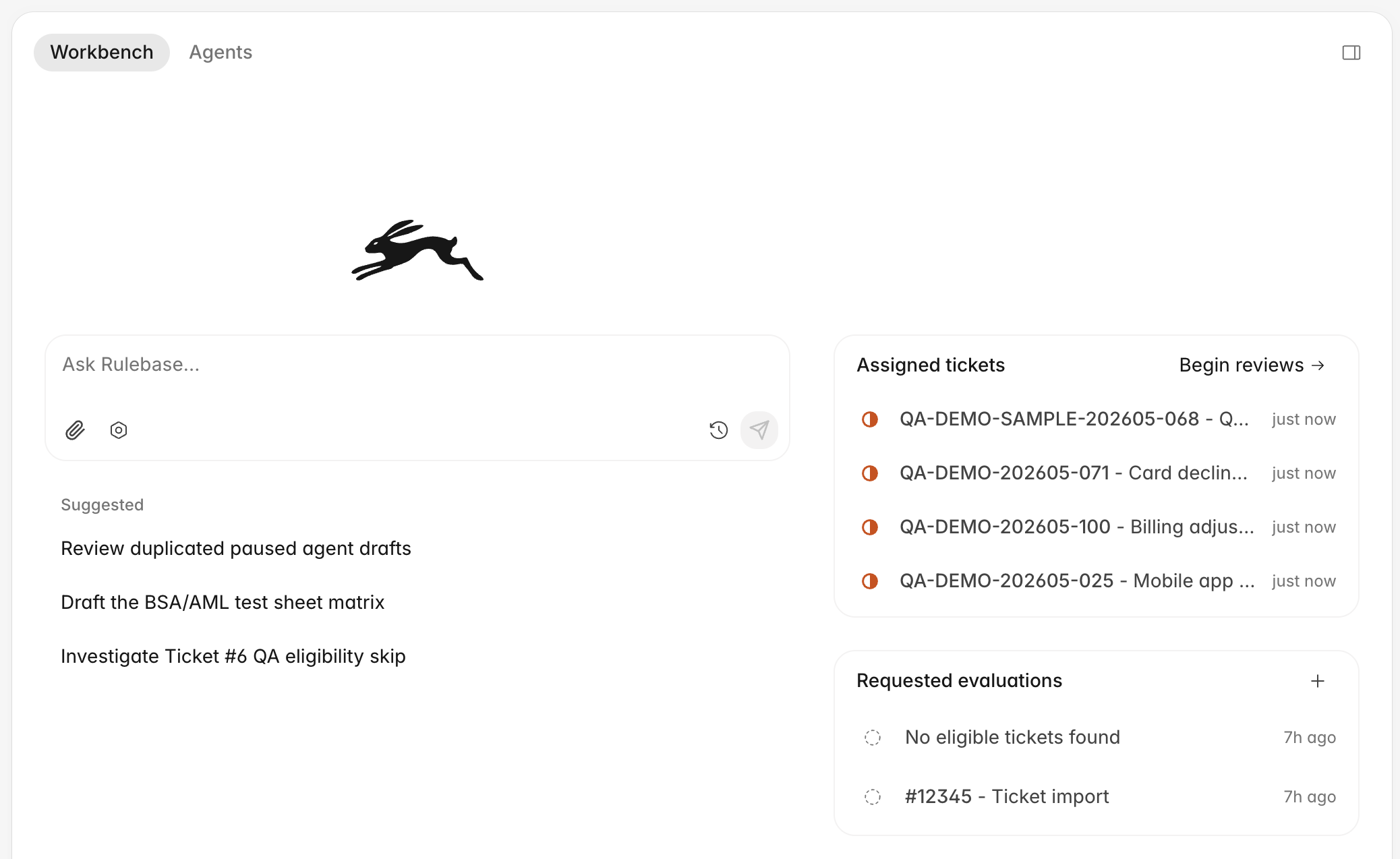
Agent workflows are easier to build
Agent instructions now include a graph workspace for editing workflow steps, tools, schedules, and branching behavior. Undo and redo controls, clearer validation errors, live run progress, stored step outputs, and lock controls make workflow editing easier to inspect and recover from.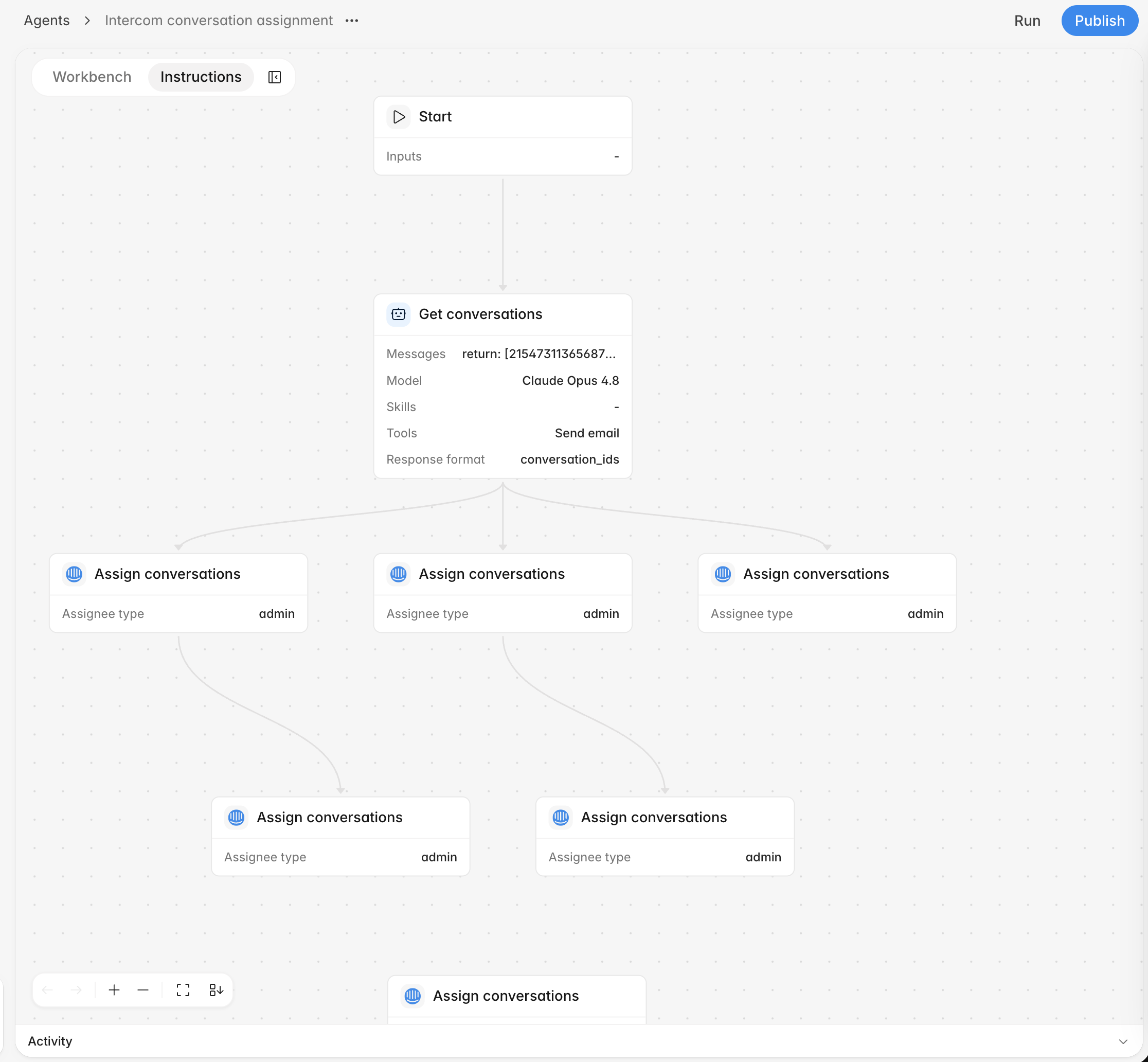
Custom fields work across more surfaces
You can now create Rulebase-owned custom fields from Settings -> Objects, see conversation field values in the conversation details panel, use more field types as dashboard breakdowns, and let managed agents update owned conversation fields during a workflow.Dashboards and SLA drilldowns get sharper
Dashboard charts can keep their own date ranges, use searchable View by controls, show heatmaps, sort heatmap columns, and break down QA and SLA metrics by custom conversation fields. SLA charts now open outcome drilldowns with ticket rows, pending-outcome filters, exports, and clearer links back to the conversations behind each result.Fixes
- Fixed deleted-from-Intercom conversations so the badge appears first and broken external links are disabled.
- Reconnected dropped Instruct chat streams in the background after transient failures.
- Fixed QA Documentation scoring to use current linked-ticket context.
- Fixed dashboard drilldowns to preserve matching custom field filters and card actions.
- Fixed long links and wide markdown tables in shared chats and workflow output.
- Fixed employee read results for connected MCP clients.
- Prevented XCALLY re-uploads from leaving stale call-part authors and phone-agent metadata.
Improvements
- Added compact task sections for assigned tickets, calibrations, and requested evaluations, with filtered bulk review requests.
- Added undo and redo controls, graph locks, stored step outputs, and clearer run progress to workflow graphs.
- Let dashboard charts keep their own date ranges, use searchable View by controls, and start from an Average QA score template.
- Added pending-outcome filters and exports to SLA outcome drilldowns.
- Made Rulebase-owned custom fields available from Settings -> Objects, dashboard breakdowns, and agent workflows.
- Preserved stored view display options and cleared the modified state when options return to defaults.
- Moved report pages onto the newer reports route with cleaner cards and direct report deletion.
InsightsInstructMCP
More flexible custom dashboards
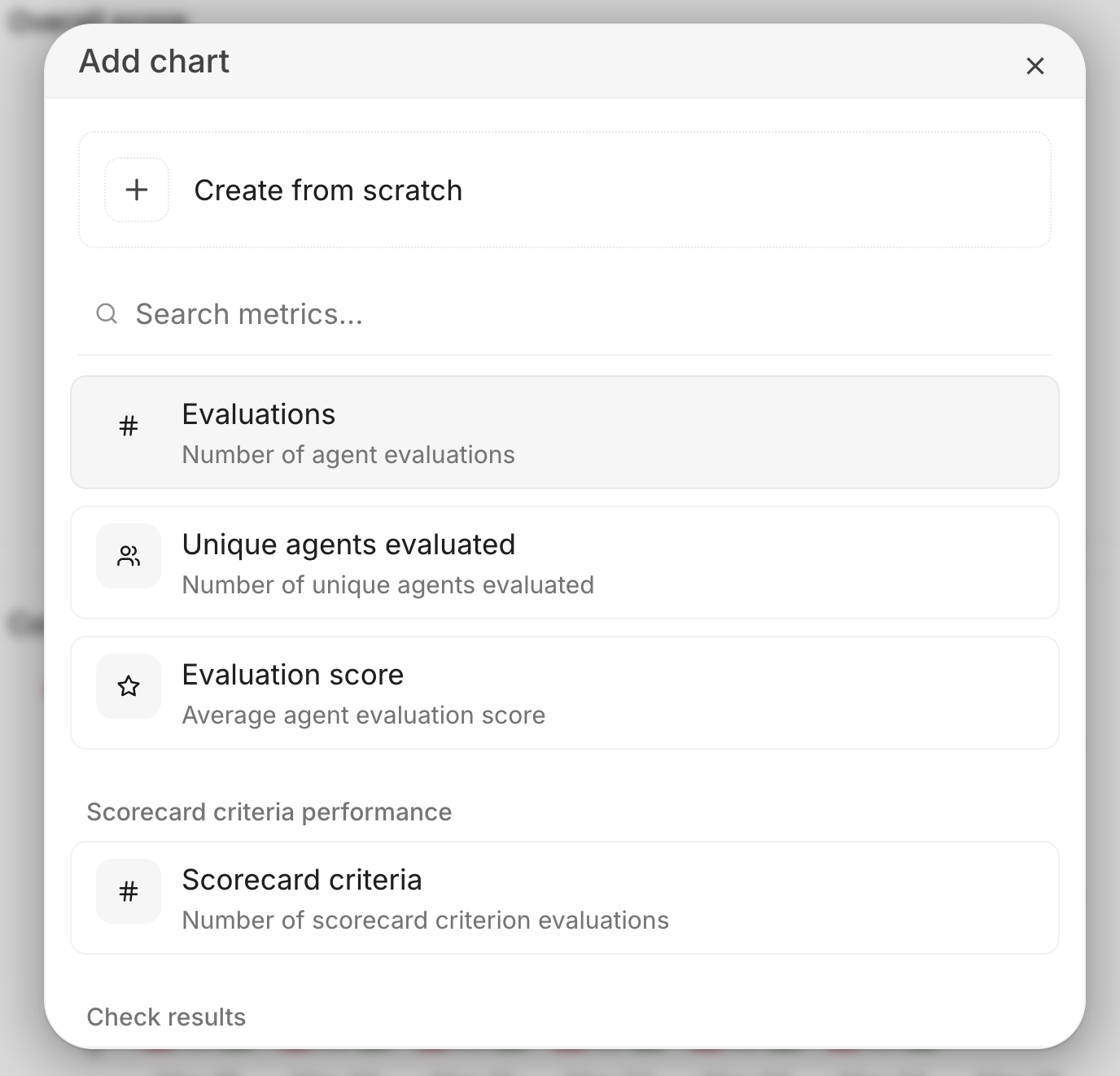
You can now make any custom dashboard your homepage, arrange and resize dashboard charts across screen sizes, and add rich text cards for notes or explanations alongside charts. Dashboard charts can also be reused across boards and edited once to update every board that uses them.Chart setup now starts from searchable metric cards, so you can pick a common metric quickly or still create a chart from scratch. You can also toggle chart data labels per board and drill from Evaluated agents charts into a per-agent sheet for the selected date.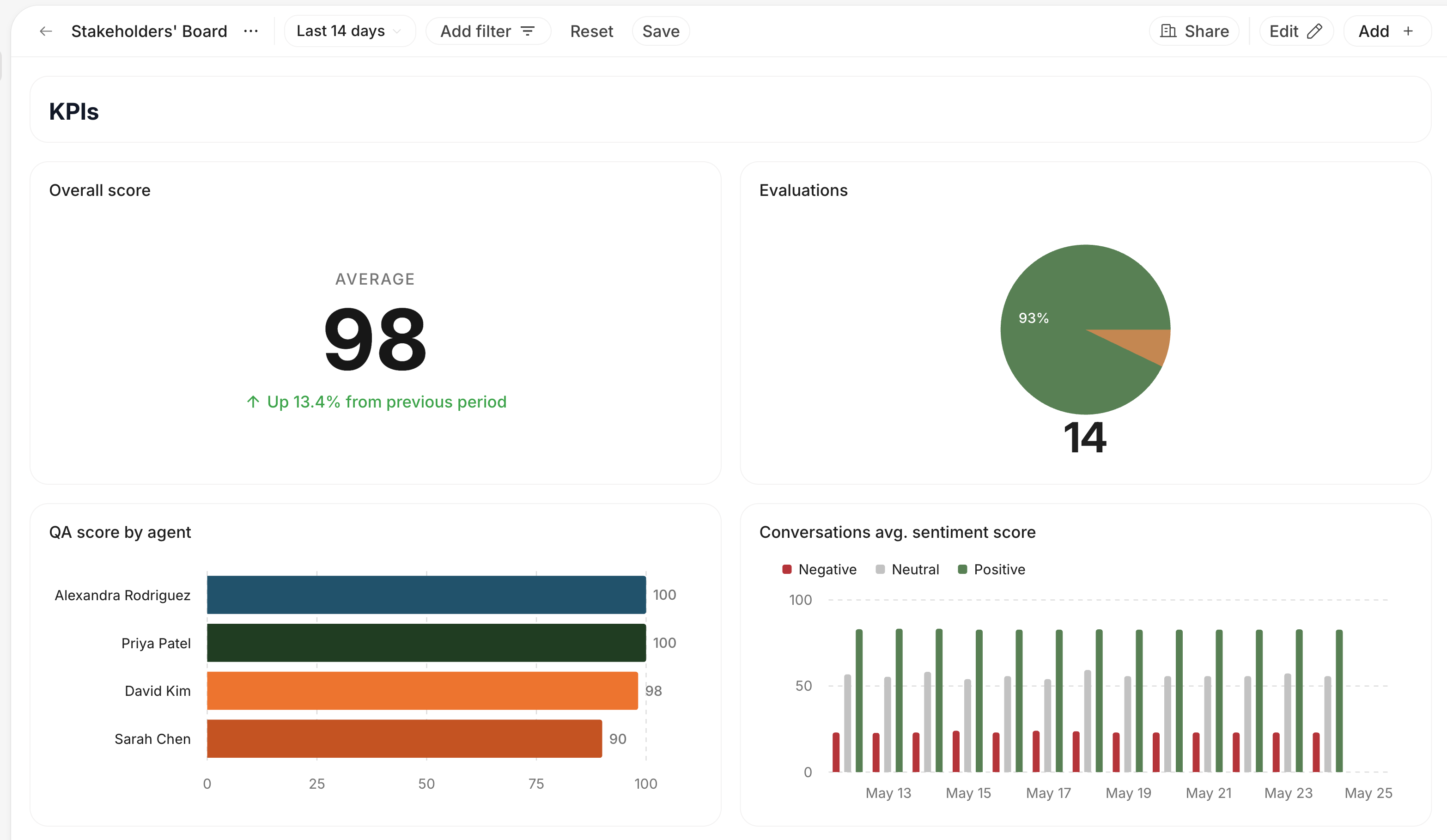
Chat with your data
Instruct now understands the current ticket, agent, dashboard, and chart with visible attachment chips, so follow-up questions start with the page you are viewing. Open it from a dashboard chart to carry the selected chart’s data and filters into the conversation.Instruct can also create and edit dashboards, groups, and charts directly from chat.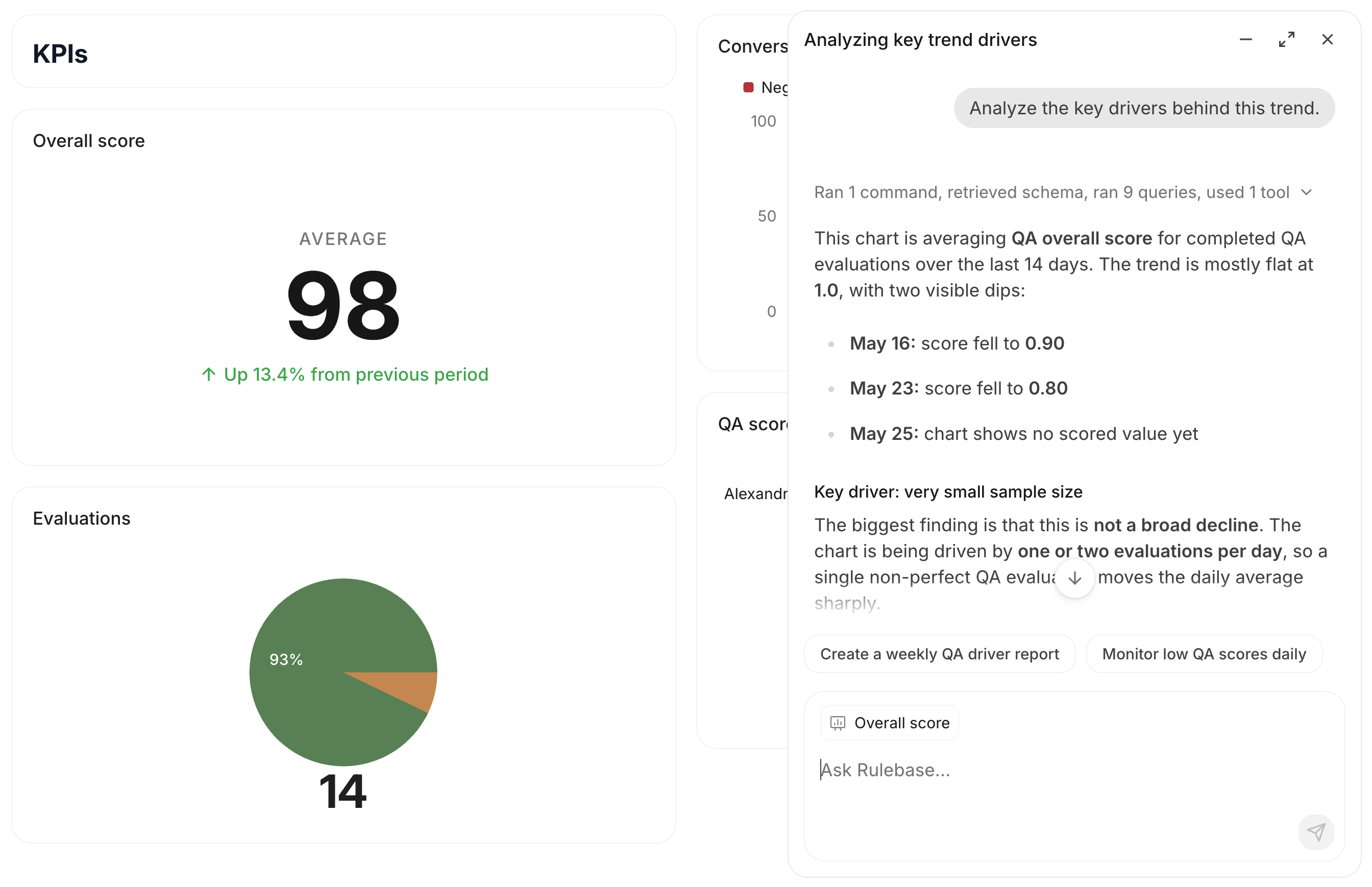
Connect Rulebase with MCP
Rulebase now has a remote MCP server for AI clients like Claude Code, Claude Desktop, and Cursor. MCP clients can read Rulebase data including employees, scorecards, and knowledge-base answers after you sign in with your Rulebase account.See the MCP docs for the endpoint and setup steps.InsightsPerformanceAnalytics
Performance now lives in Insights
Agent Performance has moved into Insights, alongside Radar and Analytics. Use Insights as the home for QA performance, coaching opportunities, and team progress.Organize and personalize Insights boards
Your custom dashboards now live on the Insights page alongside Radar and Analytics. You can pin important boards, browse boards by section, and keep the views your team uses most in one place.You will also notice filters for All boards, Created by you, and Shared with you, plus board menus for sharing, renaming, duplicating, deleting, and moving boards between sections.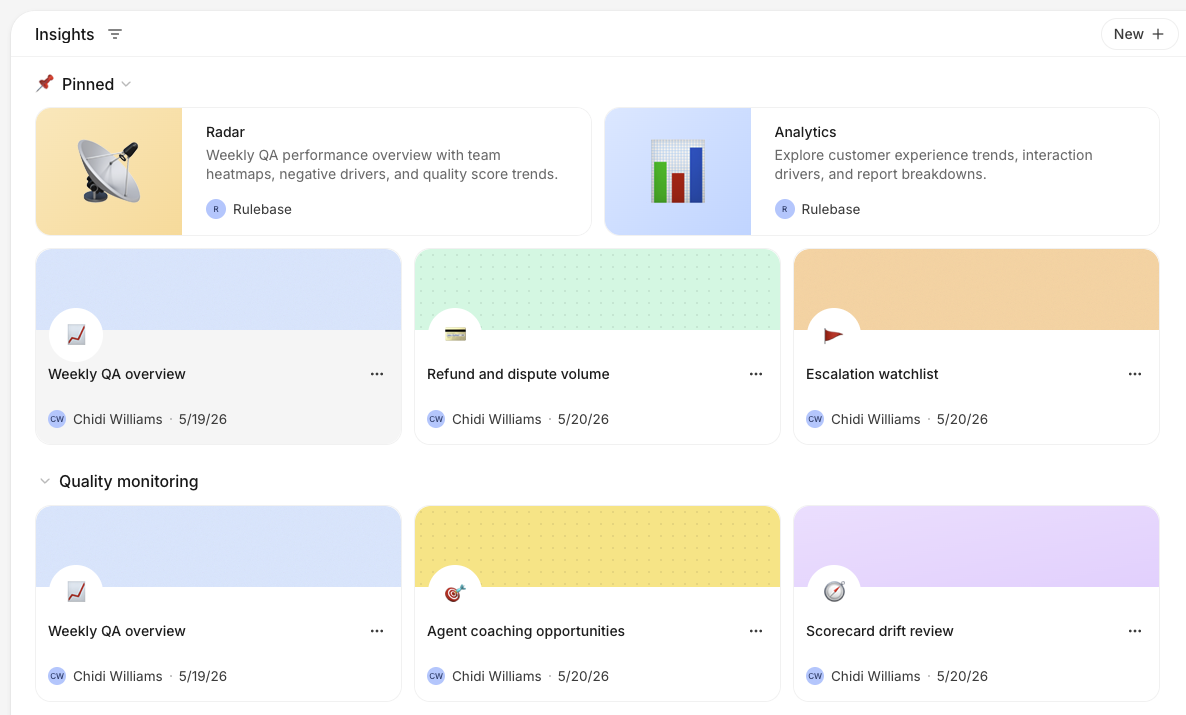 Board cards can now have their own emoji, header color, and header pattern. Use this to make important boards easier to spot, especially when your Insights page has several sections.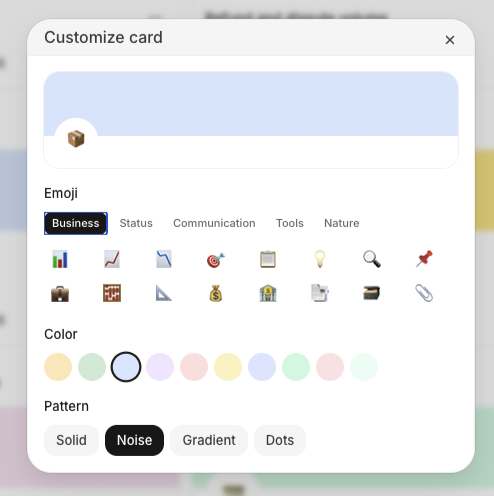
ChatReportsDashboards
Chat artifacts can be shared
Chat-generated reports and artifacts now have public share links with richer preview cards, so teams can send the output of a chat without copying the full conversation.Dashboard chat keeps the handoff
Dashboard chat now opens in an overlay and preserves the session handoff from the page you started on. That makes it easier to ask a follow-up, return to the dashboard, and keep exploring the same analysis.Streams can resume
Long-running chat streams can now resume instead of leaving the page in a broken state when a connection is interrupted.InsightsTagsQuality
Tags land on conversations
Conversation tags now appear in ticket views and filters, with operator-created tags loaded into the same tag list. Agents can also apply tags from automated workflows, keeping manual triage and automation aligned.Quality review gets its own view
Insights now includes a Quality review page with live QA data, critical-failure summaries, and lowest-scoring signals. Drilldowns make it easier to move from a pattern to the conversations behind it.KnowledgeRelease notes
Skills join Knowledge
Knowledge now includes a Skills section with an AI editor, giving teams a more direct place to manage the reusable instructions agents depend on.What’s new moves into the app
Release notes now have an in-app What’s New surface, so shipped product updates can be read from Rulebase instead of only through the docs site.QAAgentsNavigation
Faster QA administration
Admins can now test QA eligibility rules before they run, backfill evaluations from the admin console, and choose which columns appear in QA exports. Reviewers also get a quicker path to re-evaluate from the feedback dialog when a result needs another pass.Scorecards can now opt into single-sided ticket evaluations, so teams that review outbound-only or agent-only work can measure those conversations without reshaping their programs.Agents are easier to launch
The new agent setup flow makes it clearer which tools an agent can use and what will happen when it runs. Chat-triggered agent runs now queue reliably, show clearer statuses, and can alert a teammate when a conversation needs follow-up.QA navigation is cleaner
The QA sidebar now separates the main workflows from saved views, so teams can get to evaluations, requests, exports, and workload review without scanning a long mixed list.SecurityQAAnalytics
Security gains an audit trail
Privacy settings are now grouped under Security, where admins can review audit logs for sensitive account and access-management changes. Audit events include richer target previews and filters, so it is easier to answer who changed what without digging through internal logs.QA eligibility gets more precise
QA programs can now include custom eligibility instructions and organization timezone context, helping scheduled evaluations pick the right conversations for each team. Evaluation views also added group, brand, partner, and channel filters, plus clearer skip reasons in daily evaluation reports.Analytics can drill into risk and score levels
Compliance and QA charts now support risk-level and score-level breakdowns with clearer labels, colors, and drilldowns. Critical-only views make it easier to focus on high-impact failures before expanding into the full distribution.AgentsQAComplaints
Agents can use more workspace context
Rulebase agents can now work with workspace data, Slack context, and structured tools when they respond to a request. This makes agent runs more useful for operational work like finding the right data, preparing a response, or assigning a conversation to the right person.QA requests show their progress
Scheduled and user-requested QA evaluations now expose clearer progress while they run. Requesters receive completion emails, admins can run scheduled requests on demand, and long-running jobs can be cancelled instead of left in an ambiguous state.Complaints are easier to slice
Complaint views added workspace columns, filters, CSV export fields, partner filters, and drilldowns from analytics charts. Linked complaints can now resolve with their conversations, keeping complaint queues closer to the work your team already closed.CoachingWorkloadsSheets
Coaching sessions feel more live
Simulation setup can now be guided by an agent, while live practice sessions stream customer responses and suggested next steps more smoothly. Reports finish faster, show clearer evaluation status, and keep the customer persona and internal context close at hand during review.Teams can also add pacing controls, follow-up guidance, passing scores, and reattempt rules to assignments, making coaching useful for repeatable team training rather than one-off demos.Workload review gets better filters
Workload mode now handles per-agent scorecards and score-level filters, so managers can review the right set of evaluations for each agent. Criterion-level progress also appears while evaluations are running, making large review batches easier to track.Sheets can be restored
Rulebase sheets now keep version history. You can review previous versions and restore a sheet when an experiment, bulk edit, or automation changes more than expected.CoachingAnalyticsComplianceRouting
Introducing agent coaching
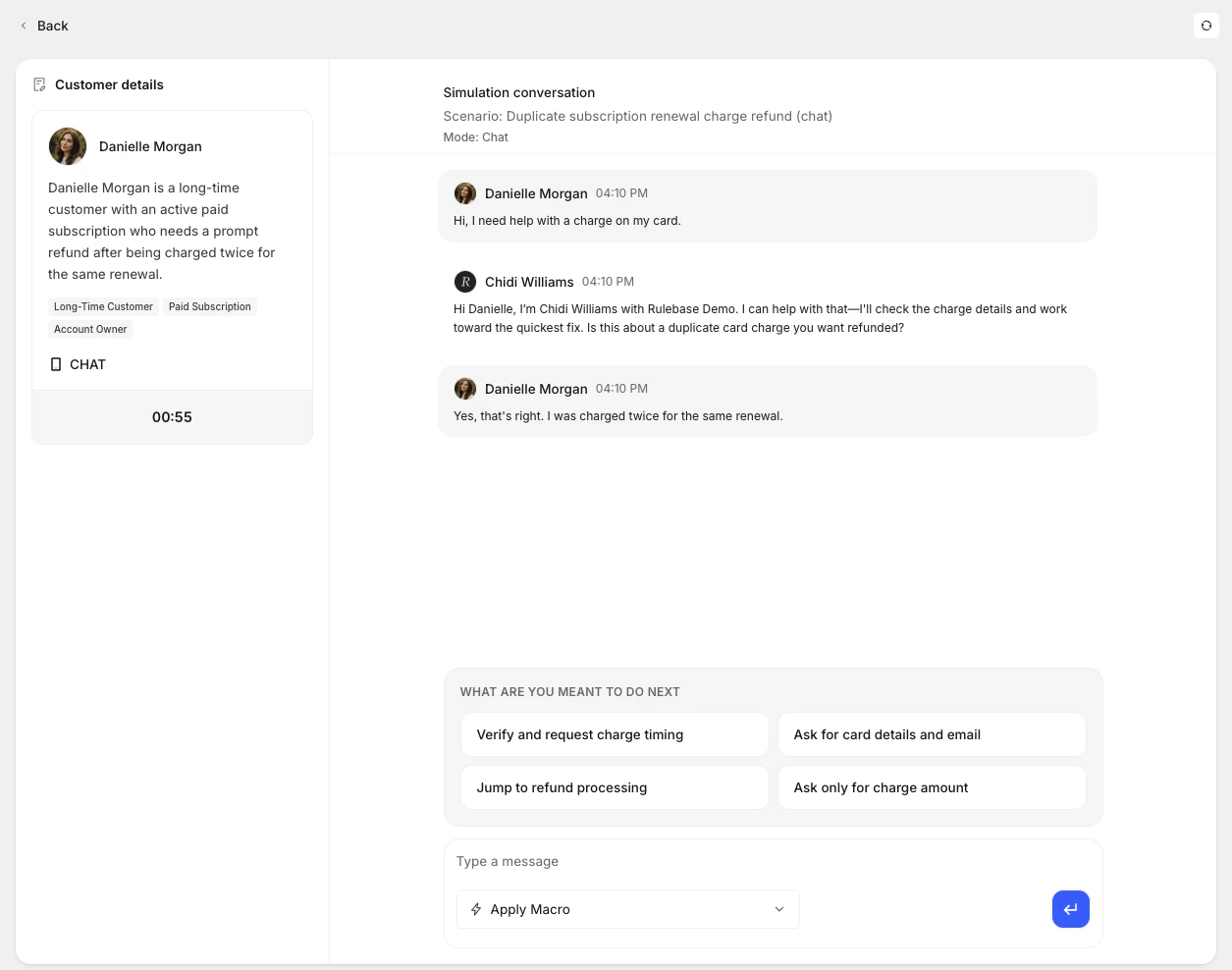
Your agents can now run realistic practice sessions before they handle real tickets. Coaching simulations let you design a scenario — complete with an AI-generated customer persona and a step-by-step plan — and then drop into a live chat where the AI plays the customer. You can ground the scenario in your own training documents and knowledge base, so the practice feels like your actual product and policies, not a generic exercise.When you create a simulation, you describe the situation and optionally upload a PDF or reference your KB. Rulebase generates a customer persona with traits you can refine and a scenario plan with ordered steps. Once you’re ready, you start the session and respond as the agent while the AI improvises as the customer within the scenario’s boundaries.When the session ends, Rulebase evaluates the transcript and generates a report: overall score, summary, knowledge gaps, key issues, and scorecard-aligned criterion results.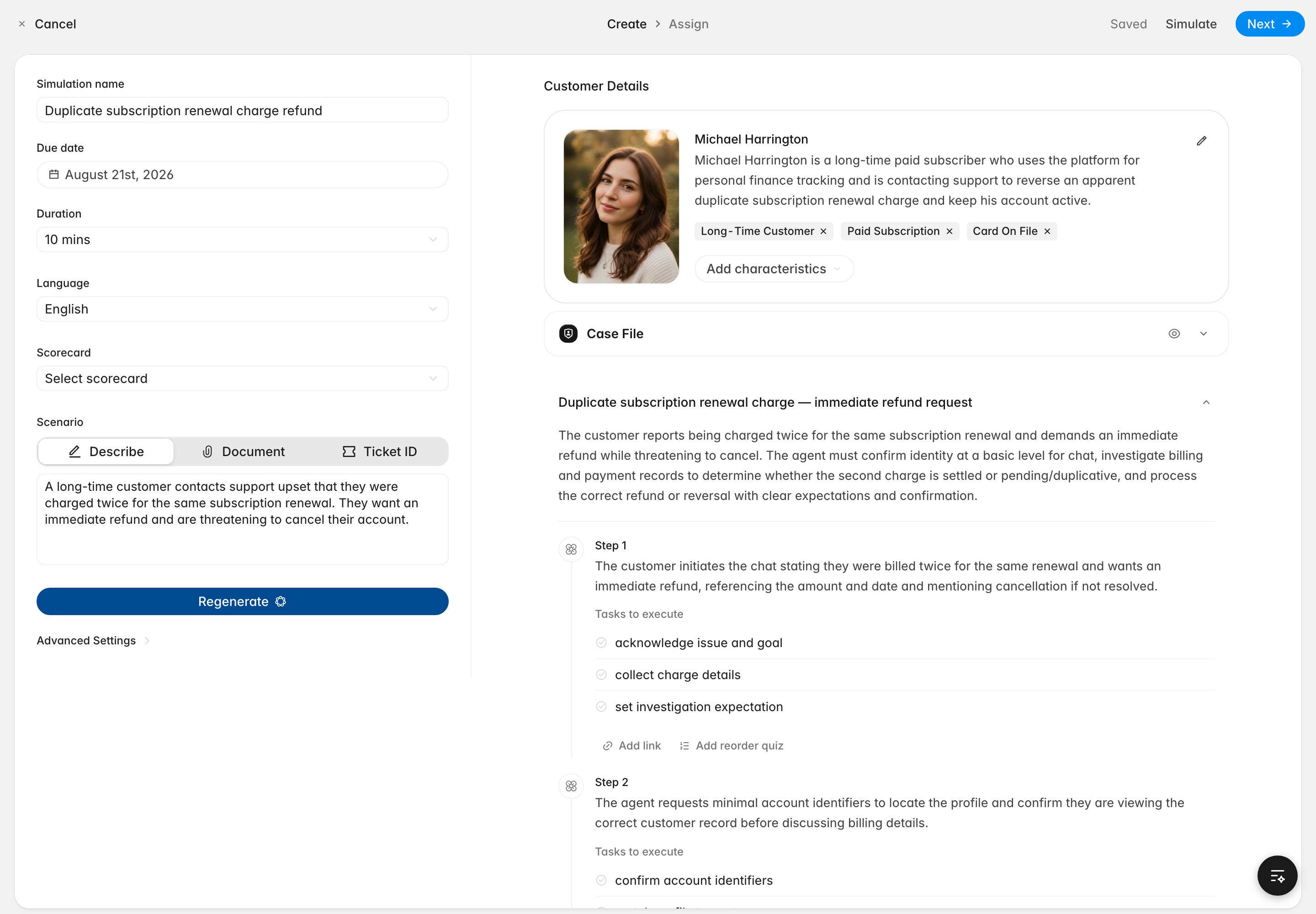
Richer analytics dashboards
Custom dashboards now give you substantially more control over how you visualize and explore your data. You can organize charts into named, collapsible sections — so a single dashboard can cover QA performance, complaint trends, and SLA metrics without becoming a wall of charts.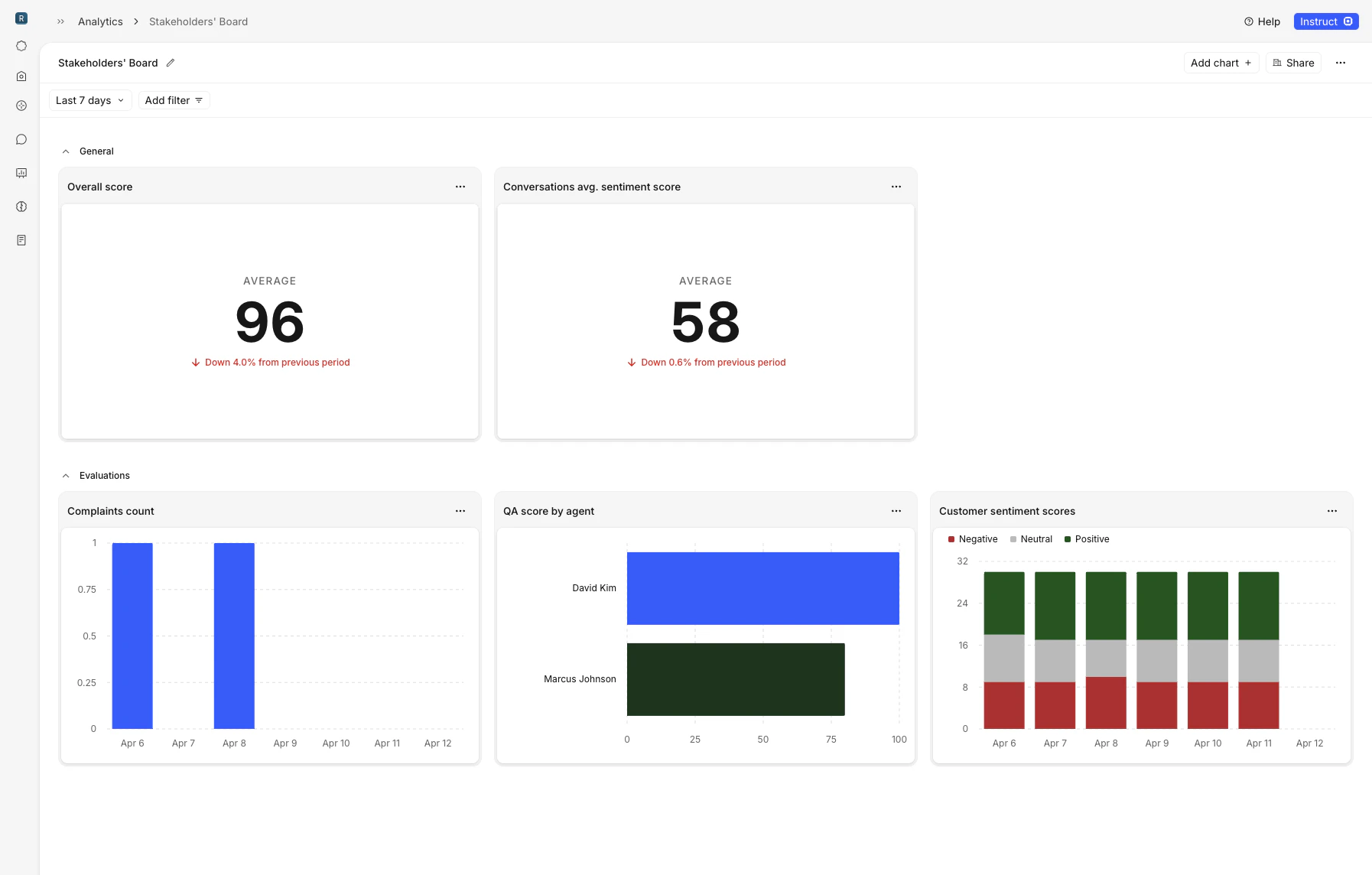
Marketing compliance reviews
You can now submit marketing materials for automated compliance review directly in Rulebase. Upload a file — or paste a website URL — and Rulebase runs an AI review against your selected regulatory frameworks. The system captures a screenshot and readable page content for websites, so the review covers the live page as your customers see it.When a review completes, you see a summary alongside prioritized issues ranked by risk level: low, medium, or high. Each issue includes inline citations tied to specific framework documents, so you can trace every finding back to the regulation that supports it. The review list is searchable by material name with a dedicated Rejected section for flagged reviews, and status updates stream in real time so you never need to refresh.Smarter routing and workflow automation
Routing rules gained several new capabilities this month. Assignment queues now distribute work in round-robin order instead of picking at random, so load is shared more evenly across your team. You can route conversations directly to a named member, reorder rules with drag-and-drop, and trigger routing when a complaint is created — with conditions on workspace and complaint risk level.You can also use an agent’s QA score as a routing condition, separate from the conversation-level score. For contested evaluations, rules can branch on contest count and reassign ownership on subsequent contests.Agent performance and knowledge gaps
The agent performance table now shows average handle time, a trend indicator versus the prior period, and plain-language performance bands — Met expectations, On track, or Needs improvement — so managers can scan speed, direction, and standing at a glance. Summary metrics at the top of the page show the org-wide average QA score and how many agents need attention.Rulebase also generates weekly knowledge gap reports that cluster weak spots tied to KB-linked criteria across your team. You can view gaps, supporting evidence, and which agents are affected from the agent performance dashboard.Partners and Intercom improvements
You can now create and manage third-party partners as first-class records — with types (BPO, fintech, sponsor bank), associated domains, and linked people. Partner data flows into analytics filters and routing conditions across the platform.Intercom side conversations now appear in the conversation timeline, and Rulebase automatically detects and links related conversations when message text contains Intercom inbox URLs.CoachingComplianceKnowledge
Coaching moves into team workflows
Coaching assignments now use real workspace data, a dedicated learning tab, and a standalone agent practice experience. Drafts, autosave, persistent threads, and async document-based scenario generation make it easier to build a simulation without losing work.During a simulation, agents can use macro-style response options or write and send manually. Afterward, report generation streams progress and shows evaluation status instead of leaving the session feeling finished but unscored.Marketing reviews can run in Rulebase
Marketing teams can submit files or URLs for automated compliance review against selected regulatory frameworks. Rulebase captures page context, ranks issues by risk level, and links findings back to the supporting framework language.Knowledge gaps show better evidence
Knowledge-gap dialogs now organize evidence more clearly, helping managers see which missed criteria, conversations, and supporting details led to a gap.CoachingPerformanceAnalytics
Introducing agent coaching
Your agents can now run realistic practice sessions before they handle real tickets. Build a scenario, ground it in documents or knowledge-base content, and let an AI customer play through the situation while the agent responds.When the session ends, Rulebase evaluates the transcript and generates a report with an overall score, summary, knowledge gaps, key issues, and scorecard-aligned criterion results.Performance views highlight who needs attention
Agent Performance now shows average handle time, trend direction, and plain-language performance bands like Met expectations, On track, and Needs improvement. Summary metrics at the top of the page show the org-wide average QA score and how many agents need attention.Weekly knowledge-gap reports also cluster weak spots tied to KB-linked criteria, with supporting evidence and affected agents available from the performance dashboard.Dashboards get comparison views
Custom dashboards can now organize charts into sections, group time-series charts by day, week, or month, and show comparison periods against the prior window. Stacked bars, pie charts, duration units, percent units, and score units make charts easier to read without translating raw values.AnalyticsRoutingQA
Dashboards can break down more work
Dashboard charts now support more dimensions, including agent, team, manager, partner, reviewer, and evaluation method. New complaint, conversation, handling-time, and QA score chart types help teams explore the operational work behind their review programs.Routing gets more operational
Routing rules can now use complaint creation, complaint risk, contest count, workspace, and agent QA score as conditions. Rules can be reordered, route directly to a named teammate, and distribute assignments in round-robin order so ownership is easier to control.QA lists show better context
Evaluation lists now default to a more useful recent window, and conversation views show more partner, brand, and group detail alongside QA controls. Employee scorecard scoping also appears more clearly, making it easier to understand why a scorecard applies before you review.Compliance testingQAIntegrations
Introducing compliance testing
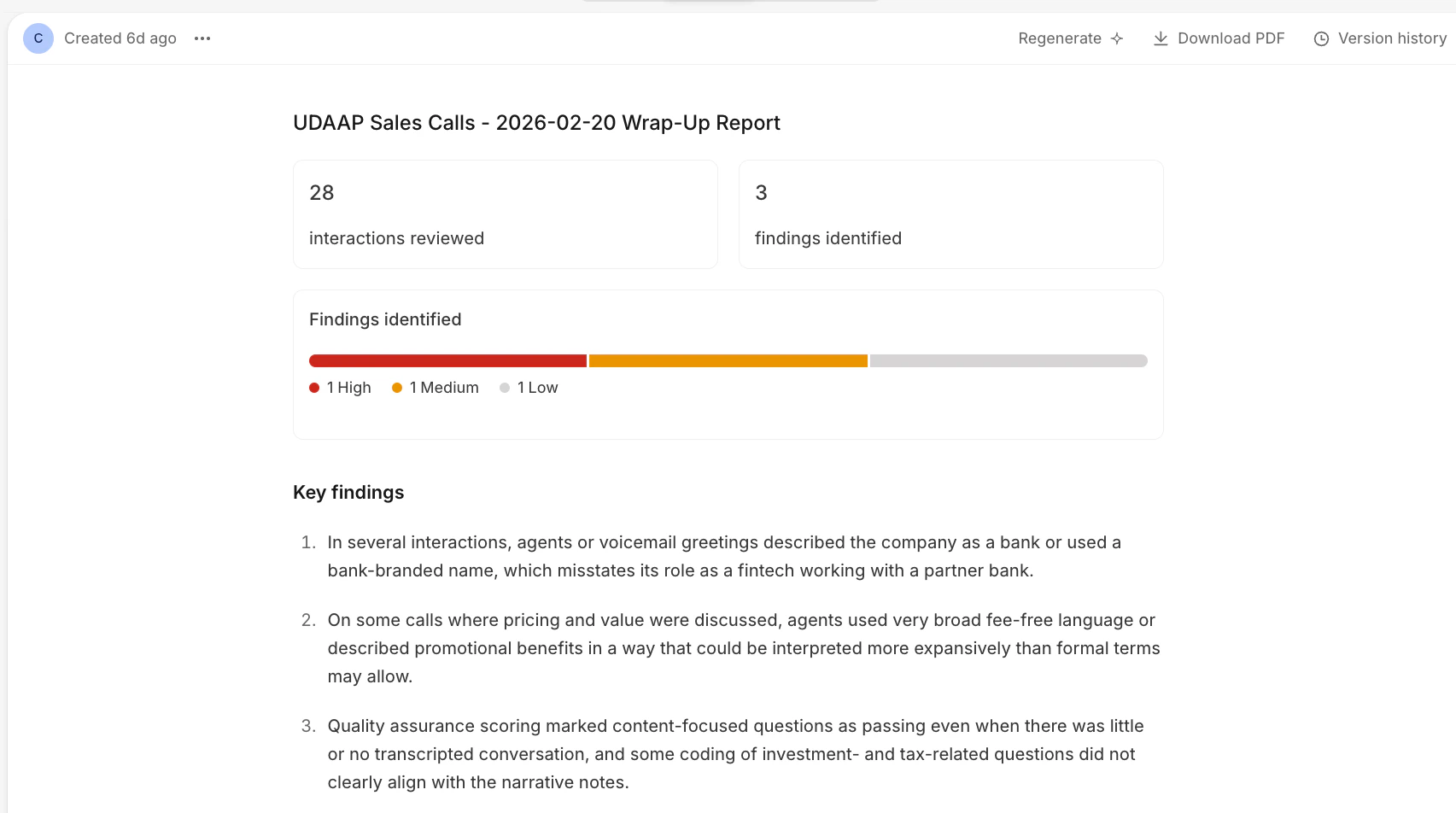
Compliance teams have been stuck between spreadsheets that don’t scale and rigid GRC tools that take months to configure. Rulebase compliance testing is a new way to build, run, and report on regulatory testing programs — designed to move at the speed your team actually works.Describe what you want to test in plain language, optionally upload your policies, and Rulebase generates a complete program for you: controls, test scripts, sampling rules, and a ready-to-run test sheet. What used to take days of setup now takes minutes.Six frameworks ship today — BSA / AML, UDAAP, ECOA, Reg E, TILA / Reg Z, and FCRA / Reg V — each with built-in controls and population-aware defaults. Select one or combine several to cover broader mandates.You can test sales calls for UDAAP disclosure violations, review CX interactions for Reg E error-resolution compliance, audit dispute handling under TILA / Reg Z and FCRA, or evaluate SAR filings and KYC onboarding cases under BSA / AML. You pick the frameworks and Rulebase gives you the right controls and test population out of the box.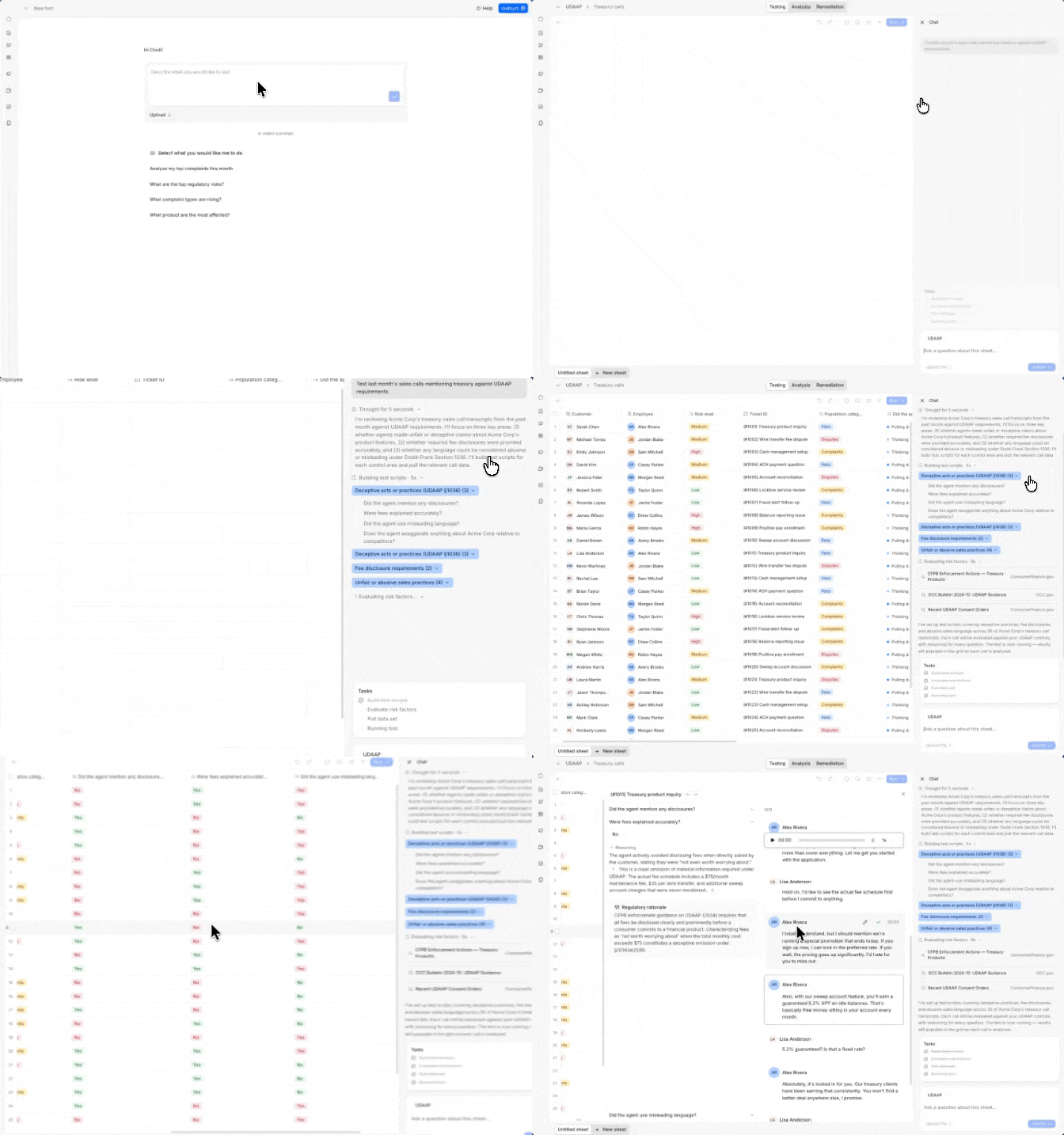
Improved QA workflows
Manual evaluations now support rich text comments with @mentions, image attachments, and auto-save — so your reviewers can write detailed feedback, tag teammates, and attach visual evidence without worrying about losing a draft.Evaluators can also now choose which specific agents they want to evaluate. Instead of being assigned a random sample, your team can focus reviews on the agents or queues that matter most to them.