

Learning only appears when you have at least one assignment. If you cannot see
the tab, nothing has been assigned to you yet, or your organization does not use
coaching simulations.
Find your assignments
Open your performance overview and look at the card on the left, below your name. Switch from Coaching to Learning. Each assignment is a card with a status, the scenario title, and how long the practice is expected to take.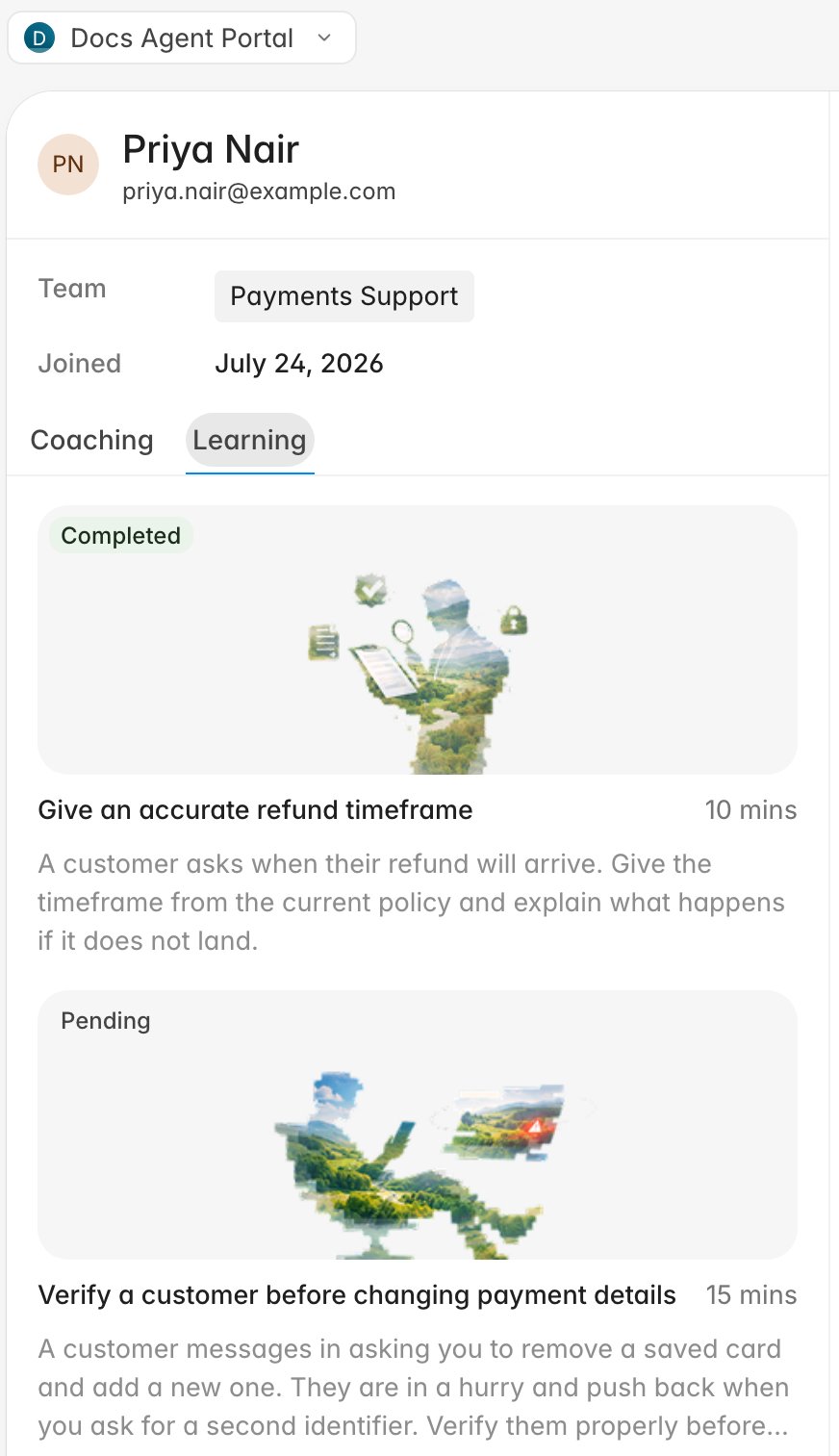
- Pending: not started, or started and not yet passed. Clicking it begins an attempt.
- In progress: you have an attempt open. Clicking it picks up where you left off.
- Completed: finished. Clicking it opens the report from your last attempt.
Work through a simulation
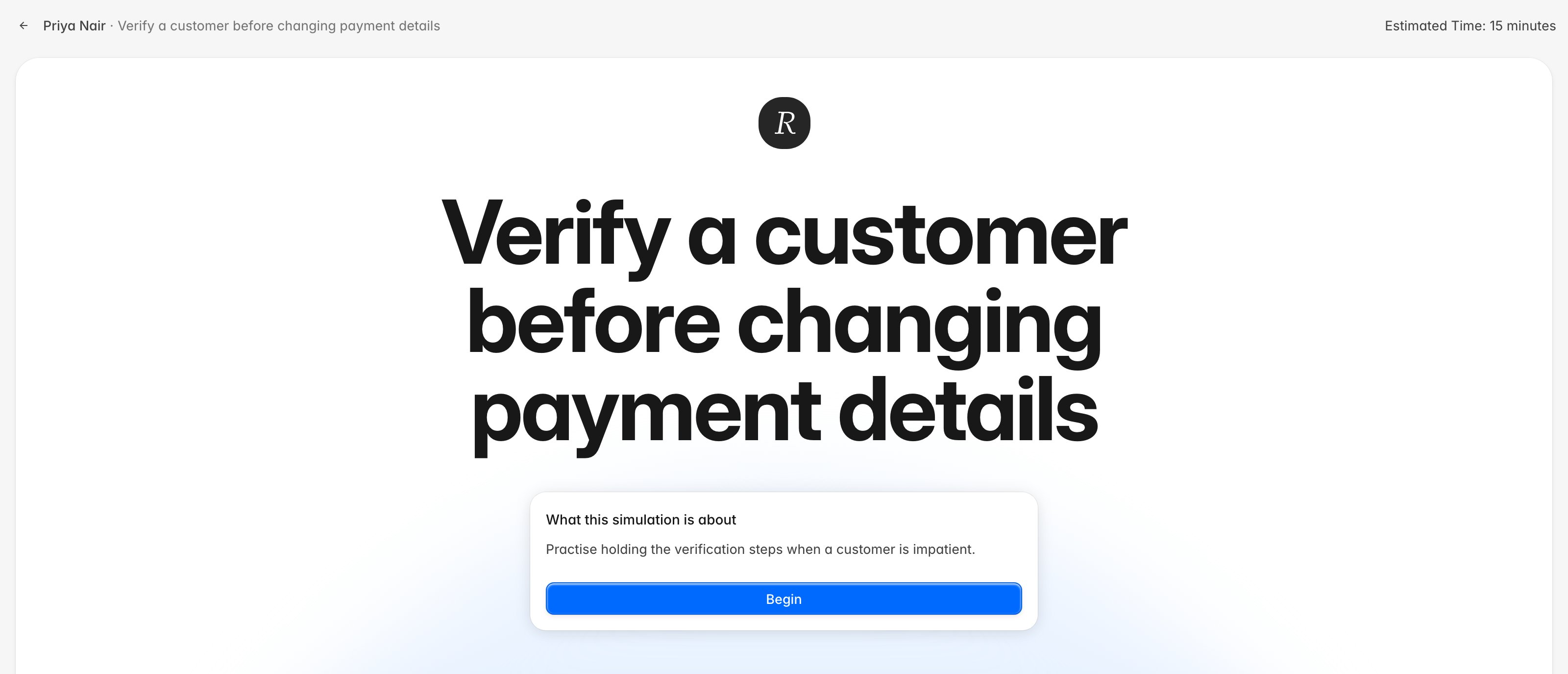
- Click a Pending assignment. Rulebase opens the intro screen with the scenario title, what the practice is about, any reading your coach attached, and the estimated time in the top right.
- Read the setup, then click Begin.
- First time through, a short tour explains the screen. Skip it or click through it; the conversation starts once it closes.
- Handle the conversation. The customer opens, you reply in the message box, and the customer answers in character. A timer runs in the header, and an indicator shows when the customer has been waiting on you.
- Keep going until the scenario reaches its end. A Simulation complete marker appears, Rulebase scores the attempt, and your report opens.
If you have to stop partway
Leaving mid-conversation asks you to confirm with Pause this simulation? Choose Pause and leave and the assignment stays where it was; when you come back, the button on the intro screen reads Resume simulation and you continue the same conversation.Your report
Once the conversation ends, Rulebase evaluates it and opens a report with your total score, a summary of how you handled the scenario, the knowledge gaps and key issues it noticed, and a criterion-by-criterion breakdown when your team attached a scorecard. The conversation is available next to the report, so you can reread what you actually wrote against what the report says about it. Reopening a completed assignment later brings back the same report with the transcript beside it.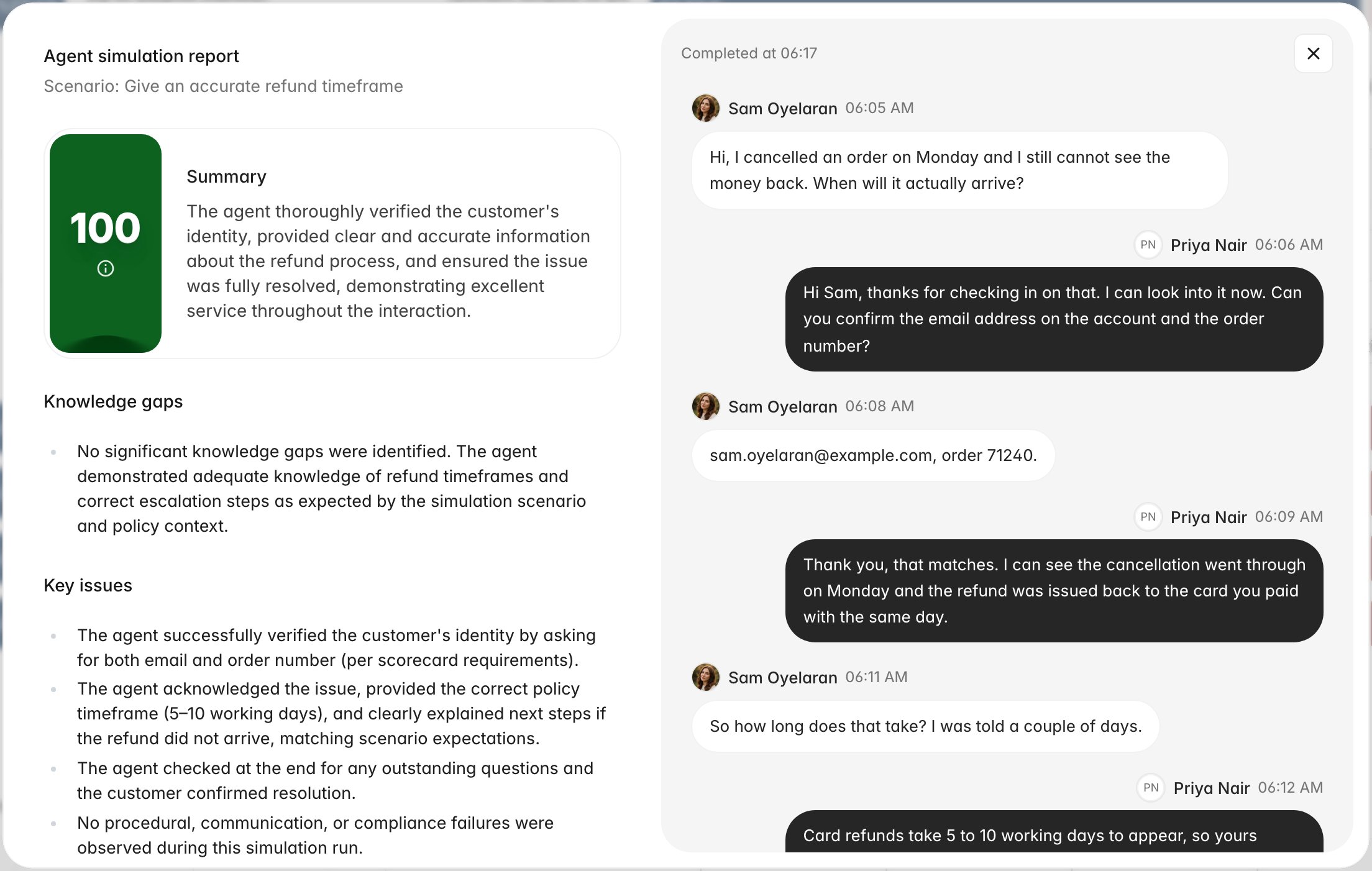
Retries
Your team decides whether an assignment can be reattempted and how many attempts you get. What happens after an attempt depends on the passing score:- You reached it. The assignment closes as Completed and clicking it shows your report.
- You did not reach it, and attempts remain. The assignment returns to Pending. Open it again and you get a fresh conversation with the same scenario.
- You did not reach it, and no attempts remain. The assignment closes as Completed without a pass. Talk to your coach about what to do next; the report from your last attempt stays available.