

How instructions differ from the other check controls
Conditions decide whether the check runs; additional instructions shape how
it’s judged when it does. If you find
yourself writing “ignore this check when…”, that’s usually a condition, not an
instruction.
Before you start
You need permission to manage evaluation scorecards, and you need a scorecard that already has a section, criterion, and at least one check; instructions attach to an existing check. Have the exception worded before you open the editor; it’s easier to write clear guidance away from the form.Add instructions to a check
- Go to Knowledge > Scorecards and open the scorecard.
- Navigate to the section and criterion holding the check you want to adjust.
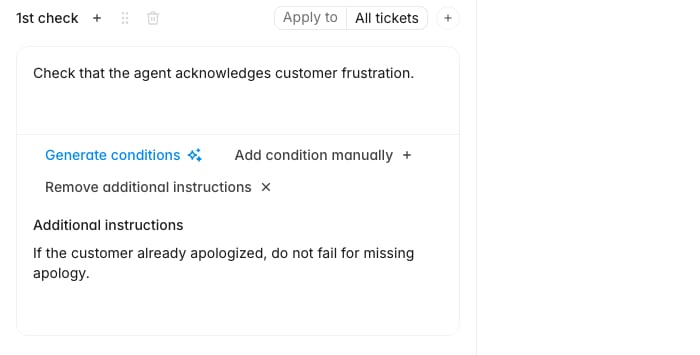
- On the check card, click Add additional instructions. A text area labeled Additional instructions opens beneath the check.
- Type the guidance, for example
If the customer already apologized, do not fail for missing apology. - Click Save as draft to keep working, or Publish to make the change live for future evaluations.
Writing instructions the evaluator can act on
Instructions work best when they read like a rule a reviewer could follow, not a general principle:- Name the trigger and the outcome. “If the customer already apologized, do not fail for missing apology” gives both. “Be lenient about apologies” gives neither.
- Keep one exception per instruction. Stacking three unrelated caveats into one block makes it hard to tell which one fired when you review a score later.
- Point at what’s visible in the ticket. The evaluator works from the conversation, so an instruction that depends on information outside the transcript won’t be applied consistently.