


Where you land
Signing in opens your performance overview. Four tabs sit across the top:- Overview: your scores and trends for a date range.
- Reports: written weekly summaries of how your tickets went.
- Evaluations: every scored ticket of yours, newest first.
- Contested Evaluations: only appears once you have disputed at least one evaluation. This is where you follow what happened to it.
What the overview shows
The overview covers whatever date range is selected in the top right. It opens on the last 30 days, and Download PDF saves the whole page if you want a copy before a one-to-one.- Average QA score: the average across your evaluations in the range, with the change against the previous period of the same length.
- QA score trend: the same score plotted over time, so a bad week reads as a dip and not your whole record.
- Tickets resolved and average handling time: volume and speed for the range. Both are clickable; pick a point and Rulebase lists the tickets behind the number.
- SLA: how your first responses and resolutions compared with the targets your organization set.
- Adherence by criteria: each scorecard criterion with the share of your evaluations that passed, partially passed, or failed it.
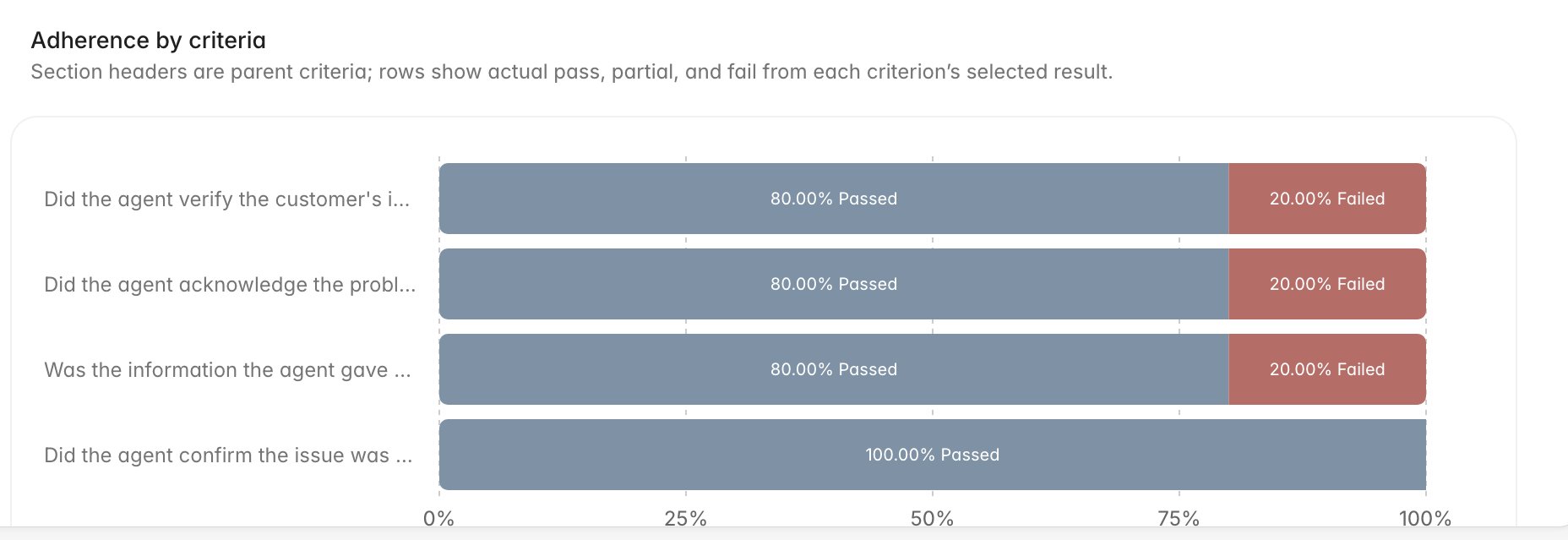
Your weekly report
Reports holds a short written summary for each week: how the week went, what held up well, and what needs attention. Pick a week from the list on the left. The current week is labelled, and earlier months stay collapsed until you open them.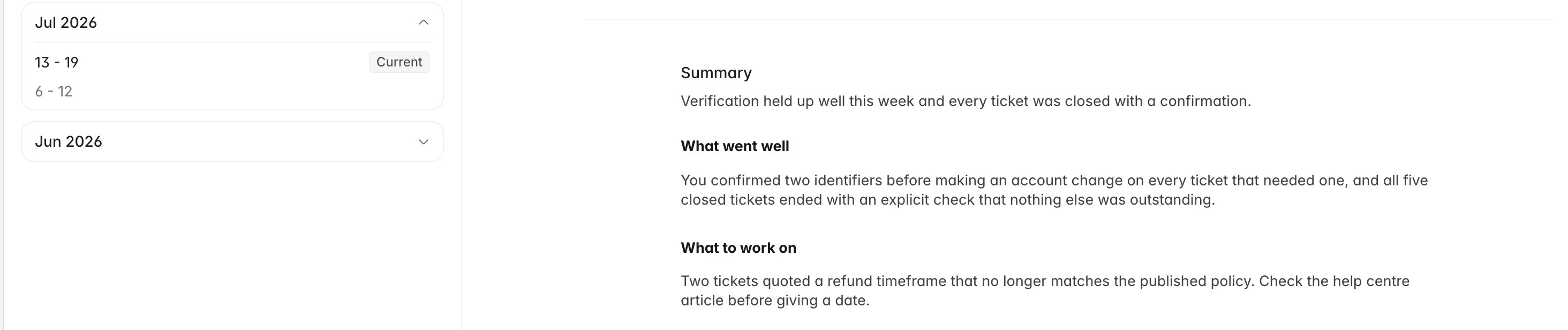
Your evaluations and your coaching sessions
Evaluations lists your scored tickets grouped by score, and opening one shows the criterion-by-criterion breakdown with the reasoning attached. That is the part most people come here for, and it has its own guide: Read your evaluations and feedback. If you disagree with a result, Contest an evaluation covers how to say so and what happens next. The Coaching tab on the profile card lists the one-to-one sessions your coach has logged for you, with the tickets they attached as examples. These are read-only; the coach writes them.What you will not find here
Your portal is scoped to you. There is no team or agent filter, and no view of anyone else’s scores or reports.Reviewers can mark an AI evaluation as right or wrong on a single criterion,
which corrects the model over time. Those controls are not shown in
the agent portal, so a criterion may have been discussed internally without
anything visibly changing on your copy. If a result looks wrong to you,
contesting it is the route that gets a person to look.