

Before you start
- Coaching must be enabled for your organization (Settings > Features).
- You need a coach or admin role to author and assign simulations. Agents complete the simulations assigned to them.
- Decide which scorecard you want to grade against if you plan to score the attempt; simulations reuse your QA scorecard criteria.
Create a simulation
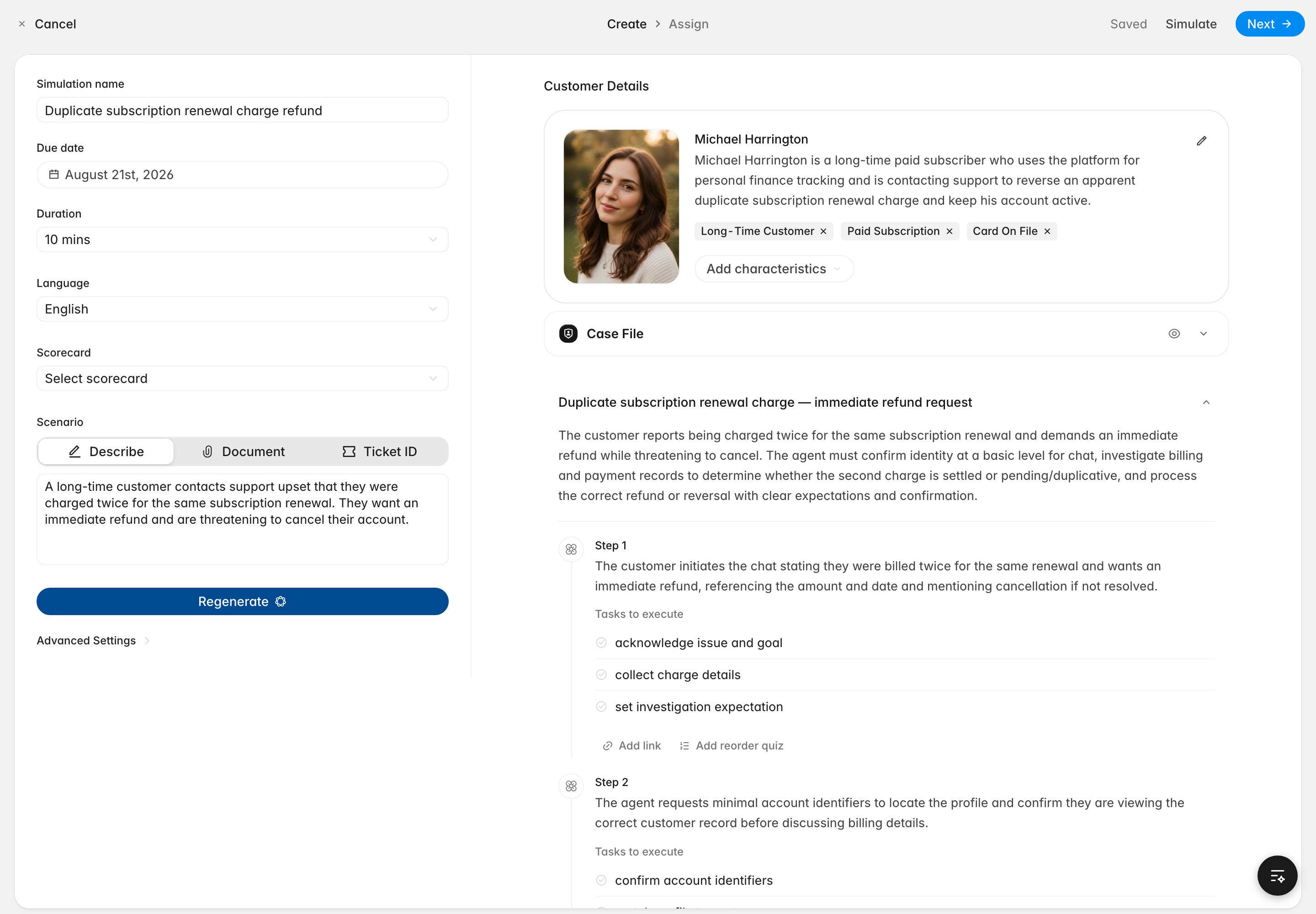
- Go to the Coaching page and click New. Rulebase creates a draft and opens the editor.
- Fill in the setup on the left:
- Simulation name and due date.
- Duration — the time limit shown to the agent as a countdown.
- Language for the role-play.
- Scorecard — the criteria the attempt is graded against (optional).
- Scenario type — chat or email.
- Scenario — describe the situation in plain language, or upload a training document to base it on instead.
- Click Generate. Rulebase produces:
- a persona (name, photo, and characteristics like “Long-time customer” or “Paid subscription”) that you can edit or regenerate, and
- a scenario plan — a titled scenario with ordered steps, and the tasks the agent is expected to complete at each step.
Scoring options
- Passing score — the threshold an attempt must reach to pass (the default is 75%).
- Reattempts — whether agents can retry, and how many times. An assignment completes once the agent passes or runs out of attempts.
Preview, assign, and publish
- Use Simulate to preview the role-play yourself before it goes out.
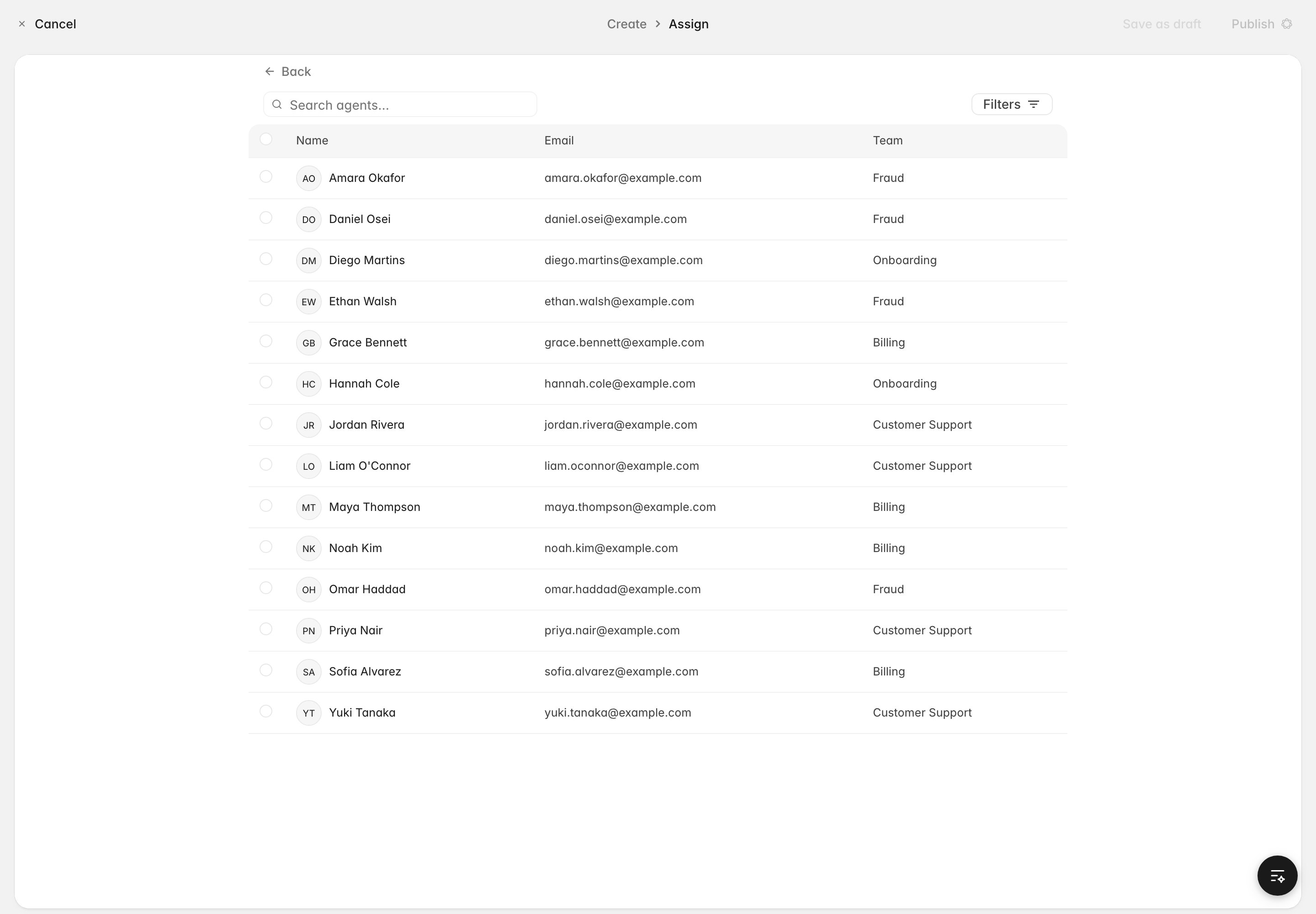
- On the Assign step, choose the agents who should complete it.
- Publish the simulation. Drafts aren’t live and can’t be assigned; reverting a published simulation to draft clears its assignments.
The agent experience
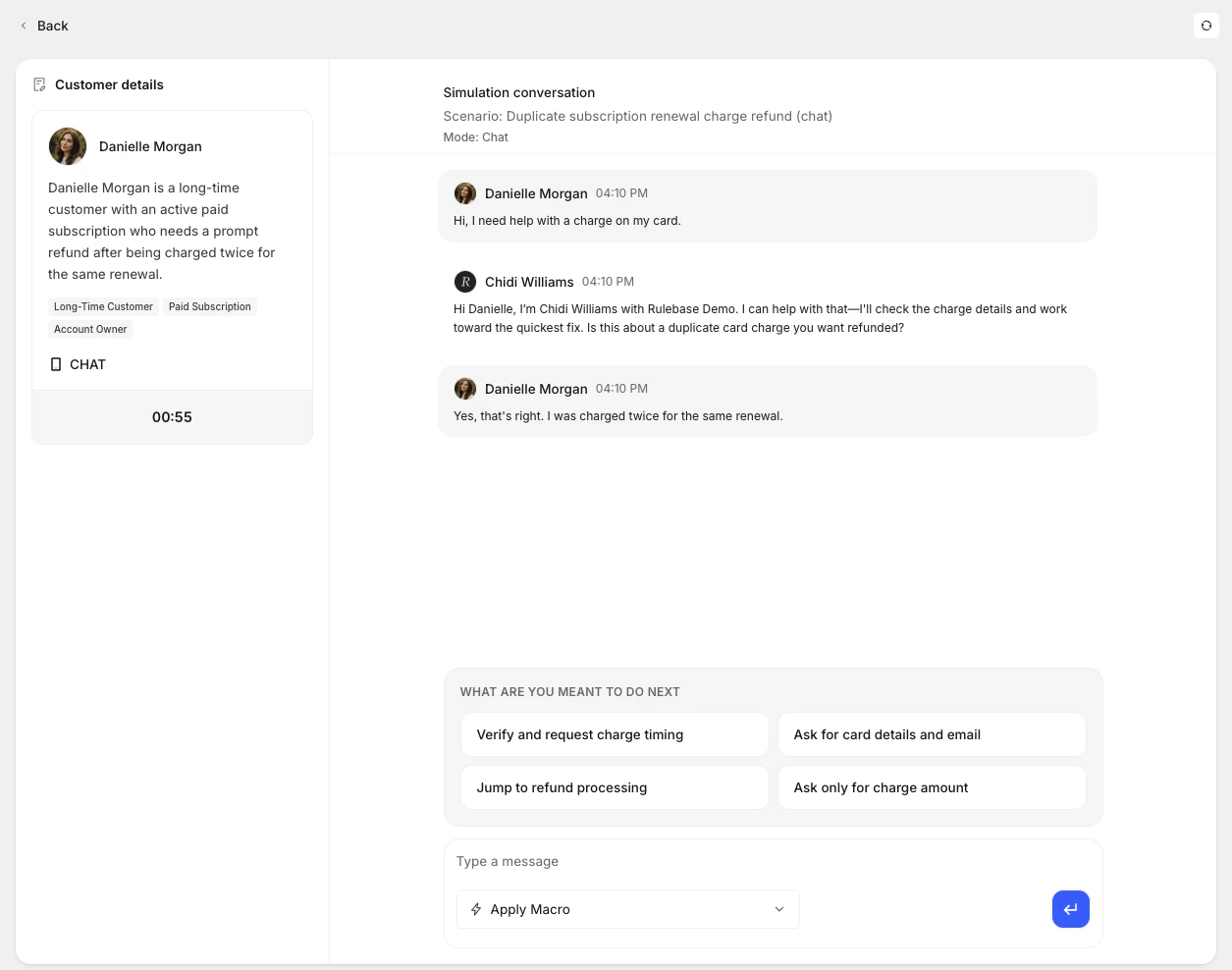
Assigned agents open the simulation from their learning view and work through a live conversation:- The customer details panel shows the persona and a running countdown for the duration.
- The AI opens and responds in character as the customer; the agent replies as the support rep.
- Depending on how your workspace is configured, agents may get in-conversation help: a “what are you meant to do next” panel with suggested actions, hints, or the ability to apply macros.
Scoring and the report
When the agent ends the conversation, Rulebase evaluates the attempt and produces a report with:- an overall score and pass/fail against the passing score,
- a summary of how the agent handled the scenario,
- knowledge gaps and key issues to work on, and
- a per-criterion scorecard breakdown when a scorecard was attached.
Reminders for unattempted simulations
For a published simulation with a due date, agents who haven’t started an assignment can be reminded before it’s due. Configure how many days ahead to remind on the simulation. Reminders stop automatically once the agent attempts or completes the simulation, or if the assignment is removed.Assignment emails, including due-soon reminders, depend on notifications being
enabled for your organization. If your agents aren’t receiving reminders, check
with your Rulebase contact.